

Multilingual - Translating Taxonomies (Eg: Categories or Variation Label)
Taxonomies are used to classify and organize content — such as categories, tags, and product variations — making it easier for users to browse and filter related items. For multilingual sites, taxonomy labels must also be translated to maintain consistency across all supported languages.
It supports 2 types of translation workflows:
AI Translation
Manual Translation
1. Go to Multilingual > Taxonomies.
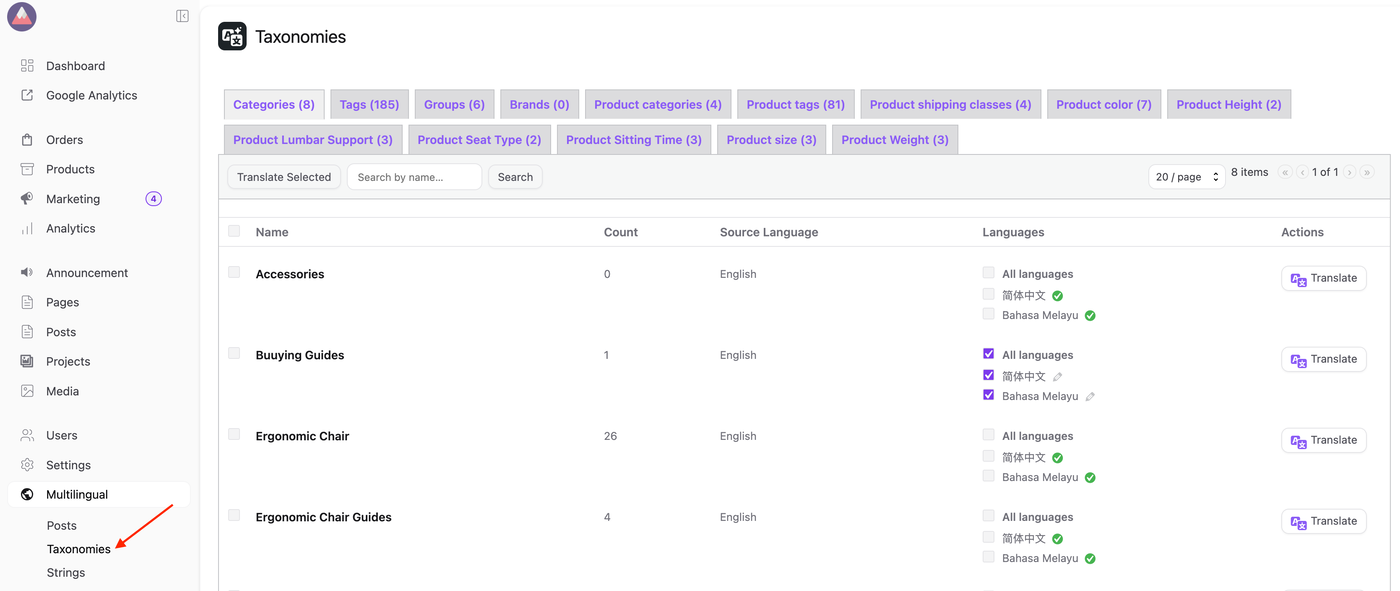
2. Use the Navigation tab to select the taxonomy you wish to translate.
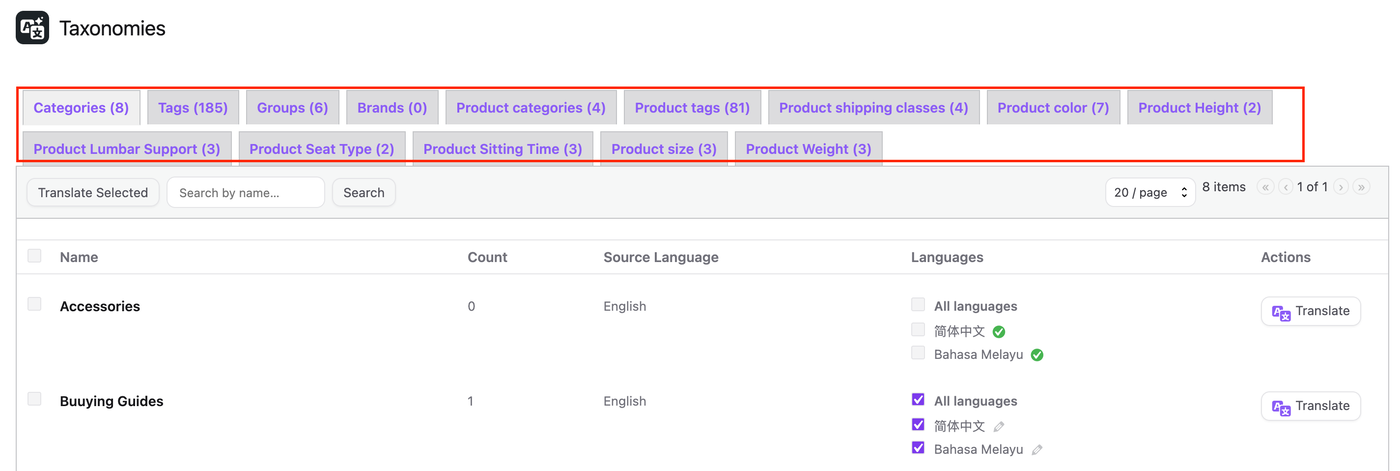
AI Translation: Step-by-Step Guide
3.1. Select the content you want to translate and click the Translate button in the Actions column.
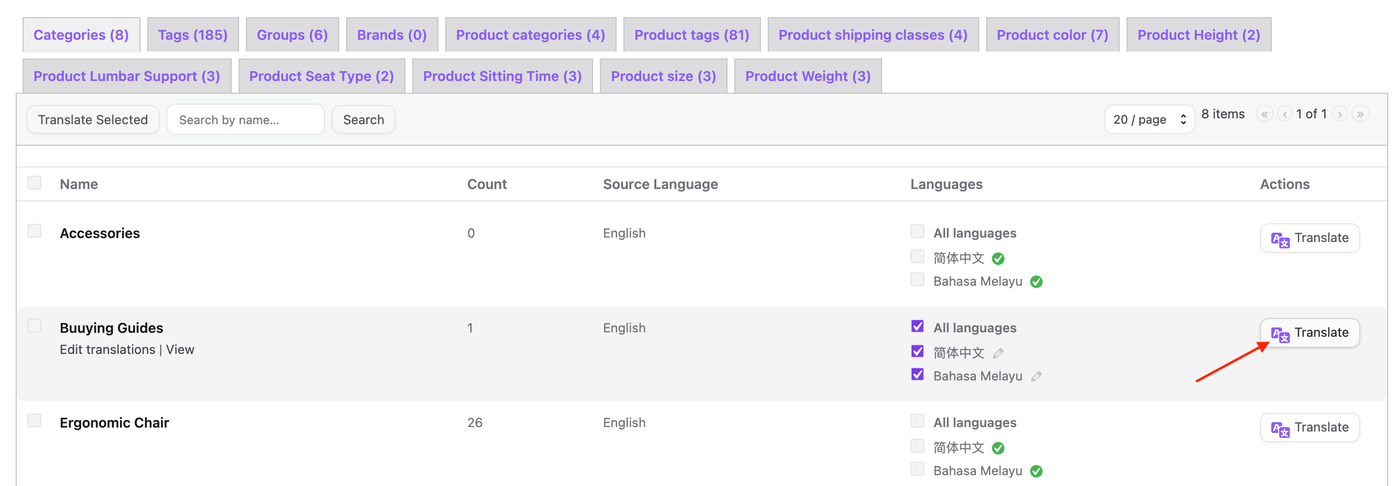
3.2. Wait for the translation to complete. Once it's done, a checkmark ✓ icon will appear.

3.3. To review the translated content, follow Manual Translation: Step-by-Step Guide.
NOTES:
While AI Translation offers a fast and convenient way to translate content, the results may not always be fully accurate, particularly for context-specific terms, technical language, or nuanced phrasing. In such cases, users can manually edit or input the translation to ensure accuracy and quality. The steps below outline how to manually translate content.
Manual Translation: Step-by-Step Guide
4.1. Click Edit Translations to manually edit and review all languages, or click the edit icon next to a specific language to translate or edit that language individually.
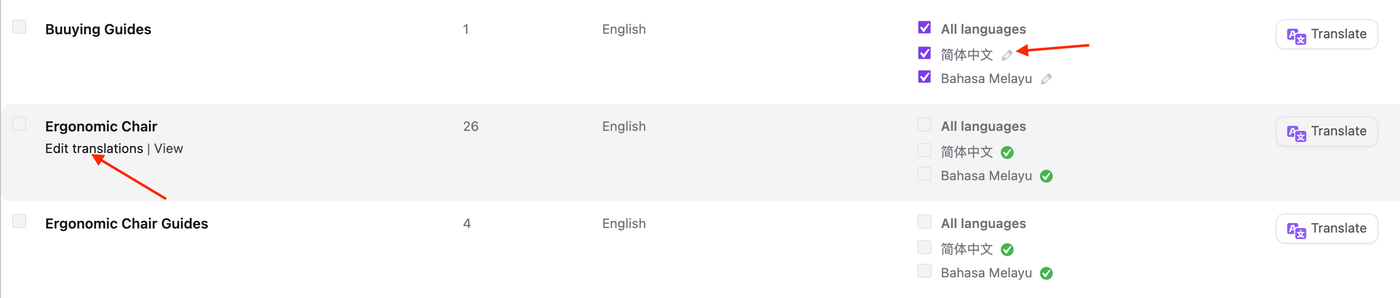
4.2. This action will open the Translation screen, where the content can be modified as required.
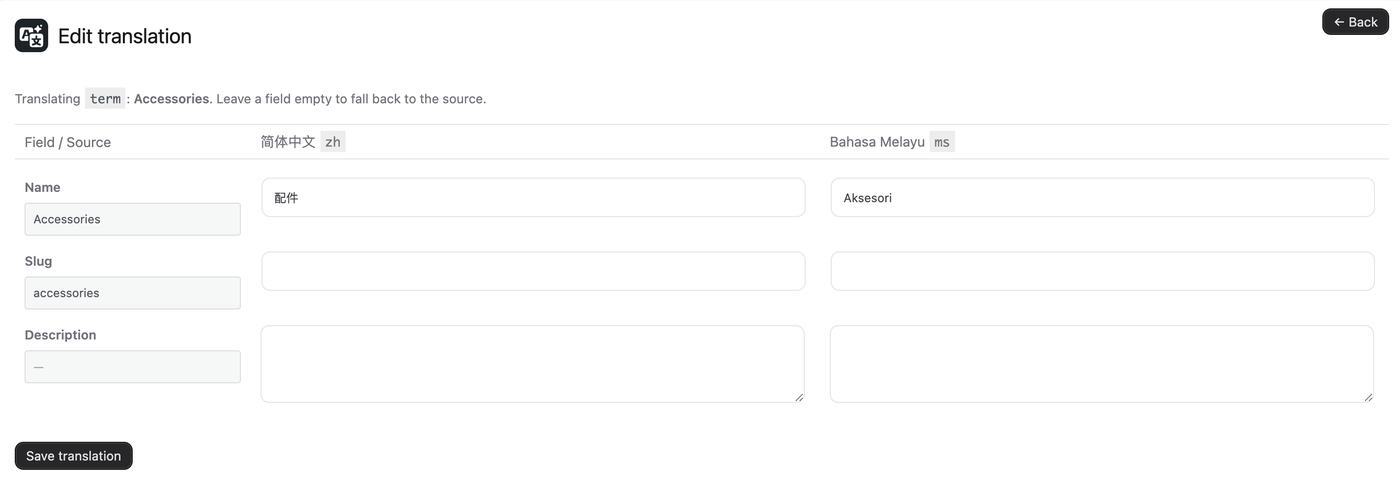
4.3. Click Save translation button.