

Affiliate Program - Adding an Existing User as an Affiliate
NOTE:
This feature is available as a paid extension.
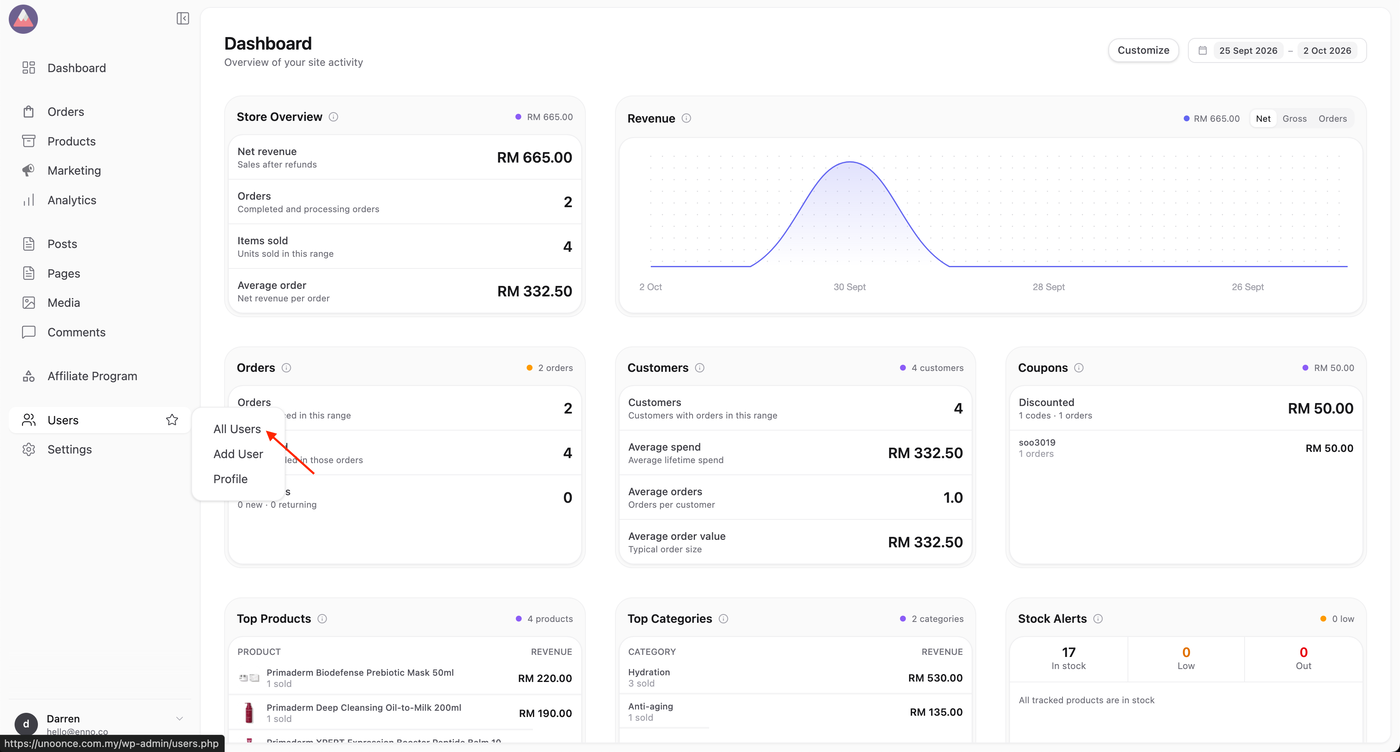
1. Click on Users > All Users.
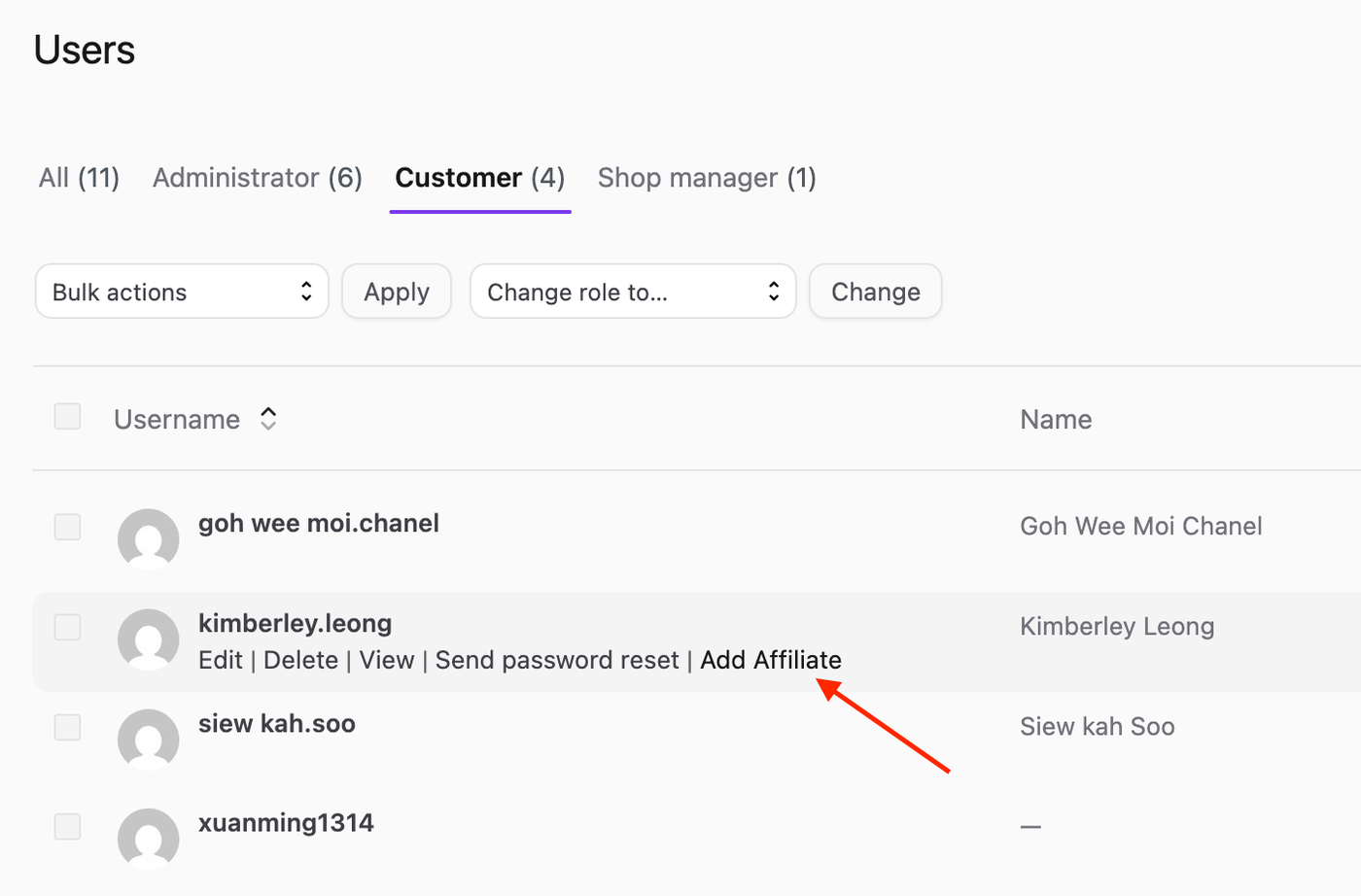
2. Locate the user you wish to promote as an affiliate by hovering over their username. Then, click Add Affiliate.
3 You’ll then be taken to the New Affiliate screen, where you can configure some additional settings for this user.
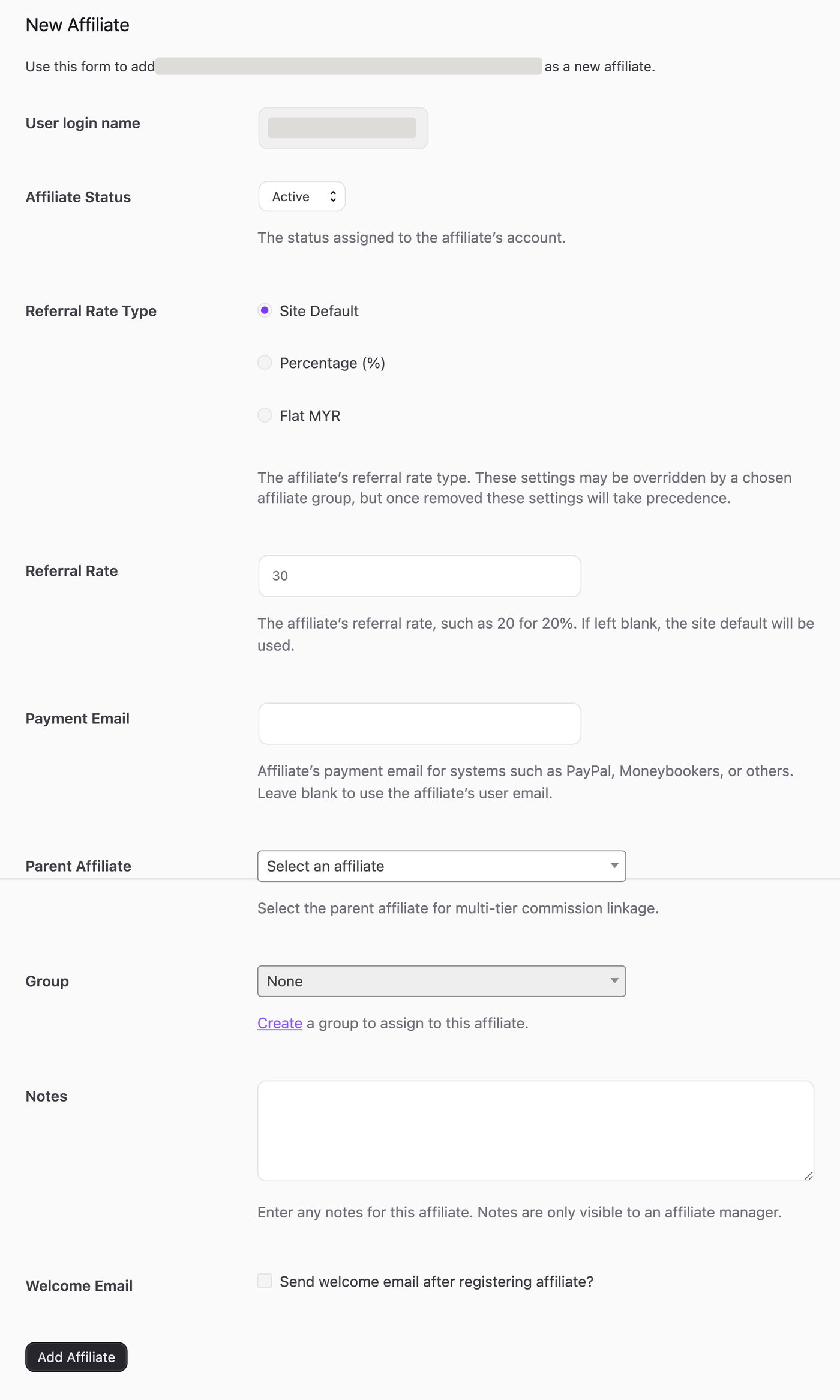
4. Once you have finished configuring the affiliate’s options, click the Add Affiliate button.