

Safari - Delete your browsing data
Delete your browsing data to clear stored cache and cookies, which may help fix website issues or improve browser performance.
1. Open Safari.
2. Click Safari in the top menu bar and select Settings (or Preferences on older macOS versions).

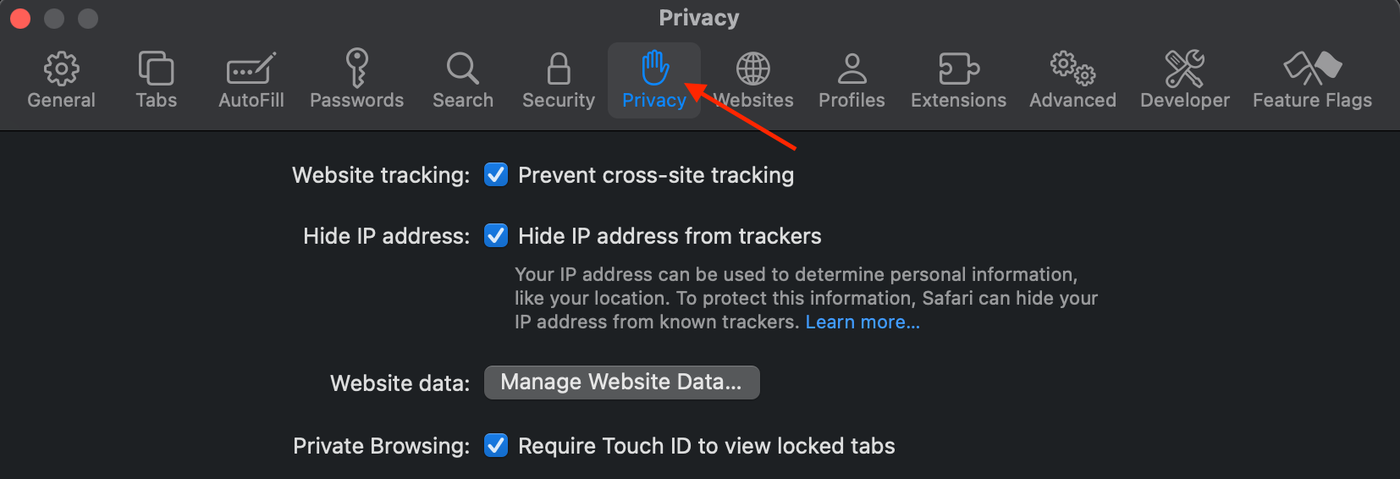
3. Select Privacy tab.
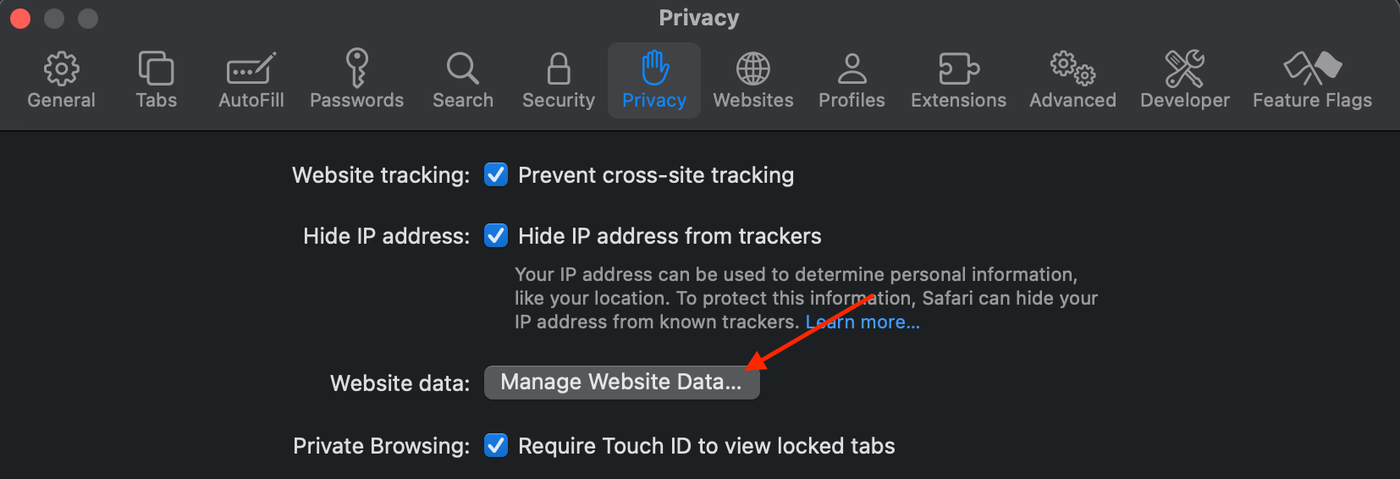
4. Click Manage Website Data.
5. Click Remove All.
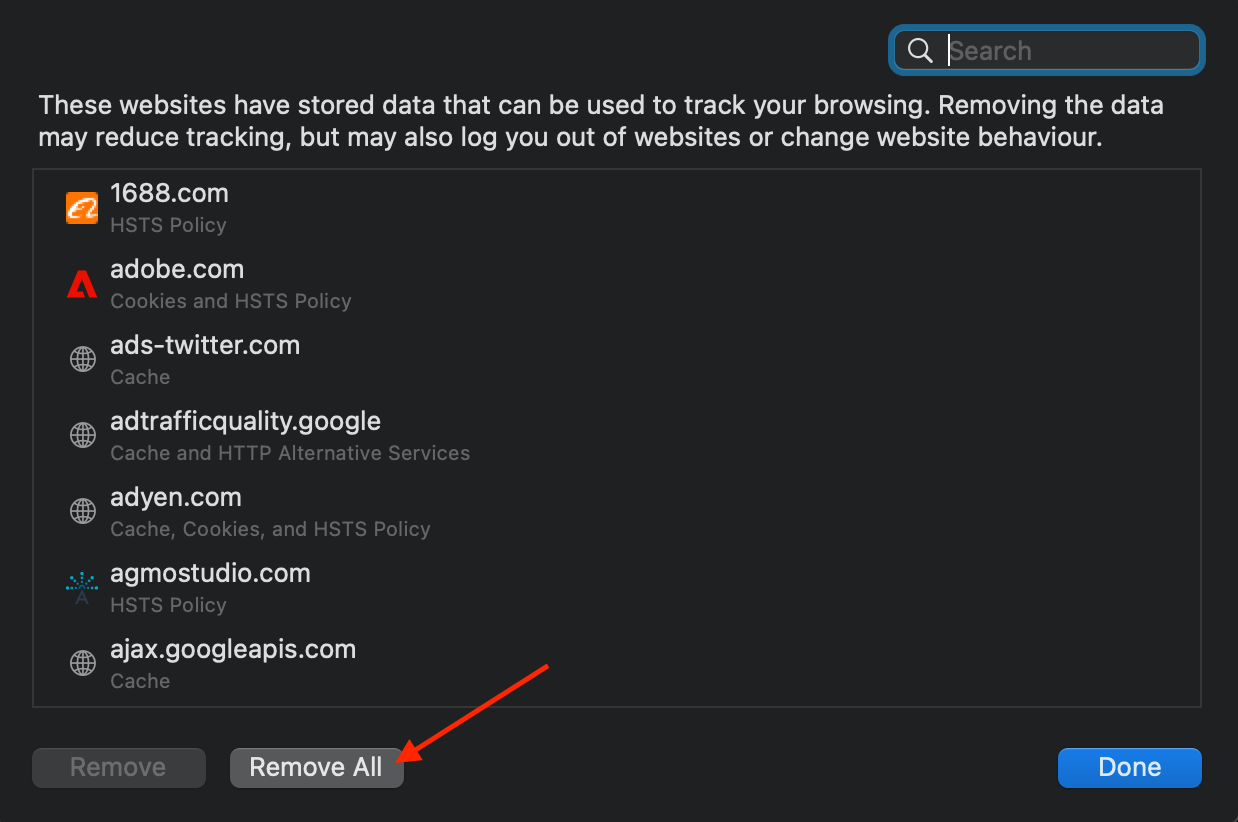
6. Confirm by clicking Remove Now.