

SmartCoupons - Apply coupon automatically
Sellers can enable automatic discounts for their customers without requiring them to enter a coupon code.
1. To get started, login to WebPanel and navigate to Marketing > Coupons.
2. Create or edit a coupon, see, Managing Coupons.
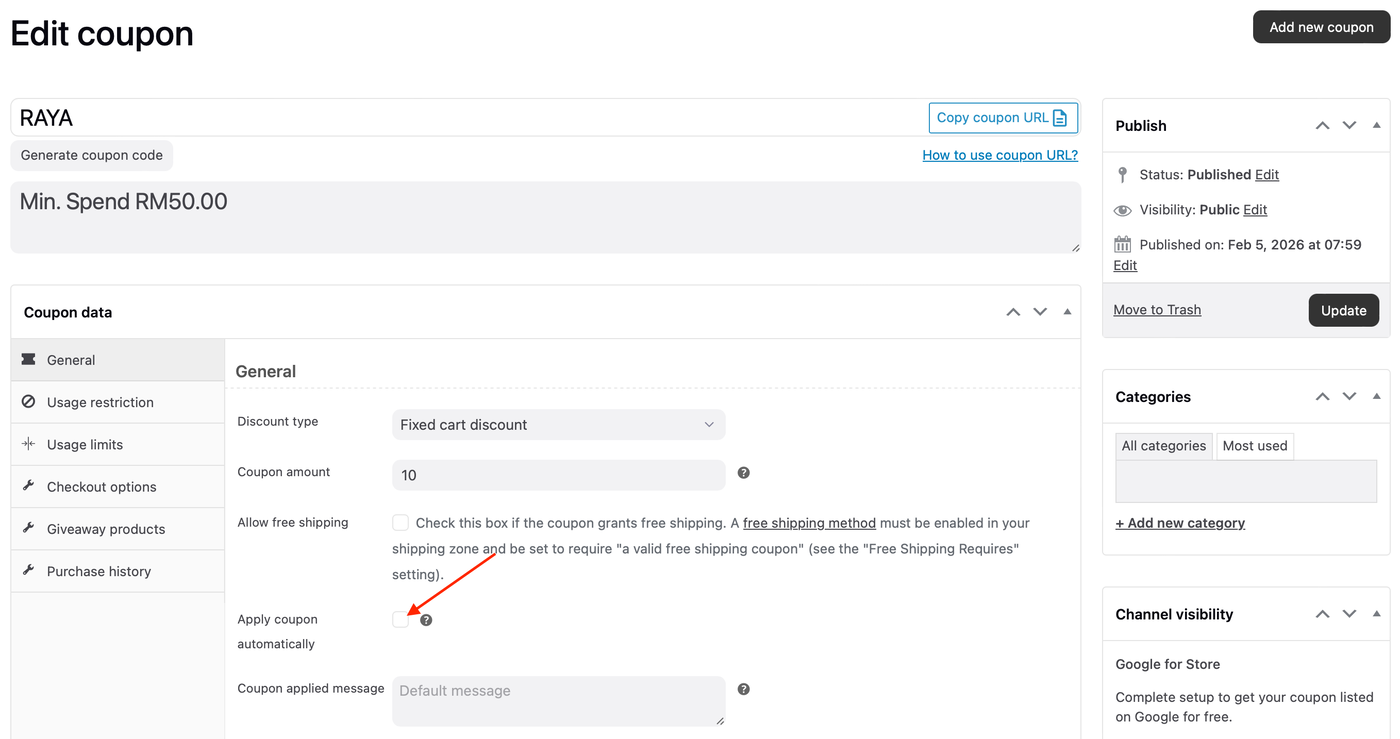
3. Under the General tab, enable Apply coupon automatically.
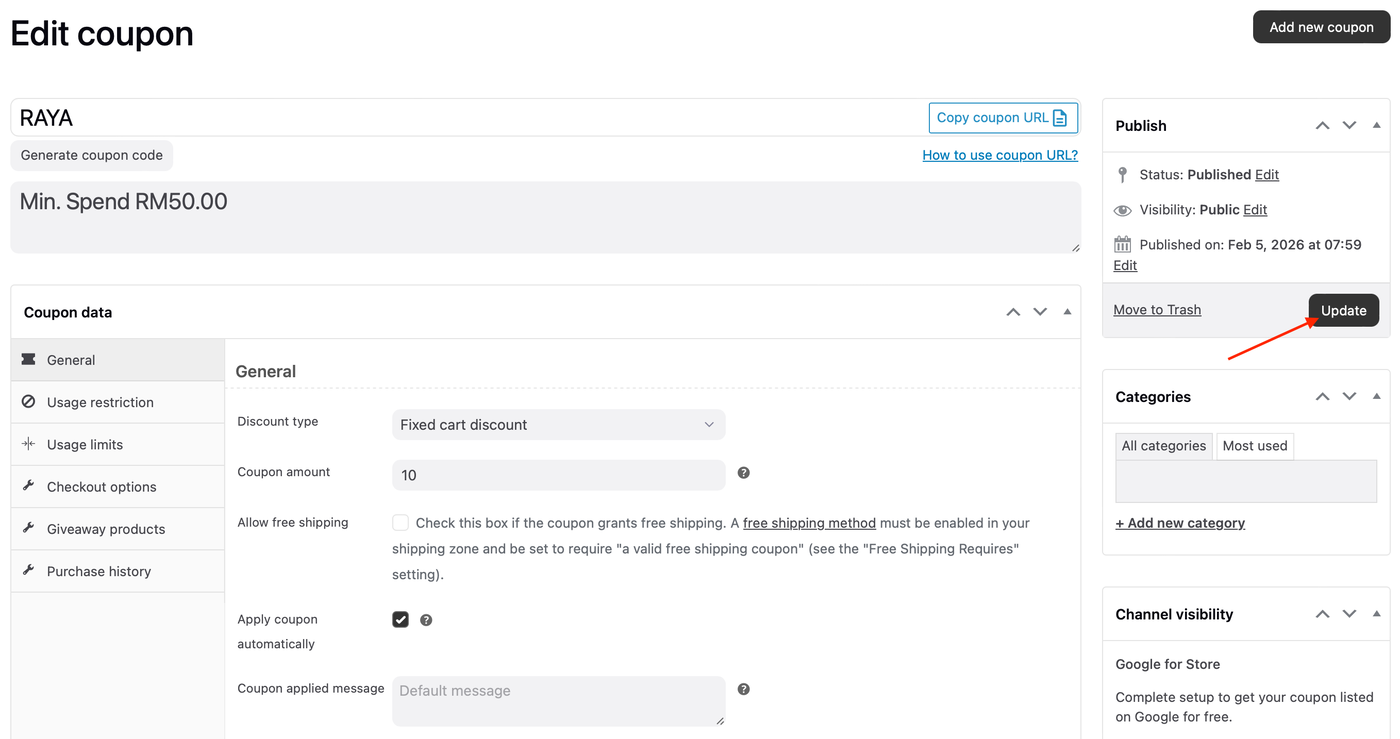
4. Click the Publish/Update button.
The coupon will now apply automatically when cart conditions are met.