

Marketing - Managing Coupons
Overview
WebPanel Store comes with built-in coupon creation and management tools. WebPanel core offers fixed-cart, fixed-product, and percentage-based coupons.
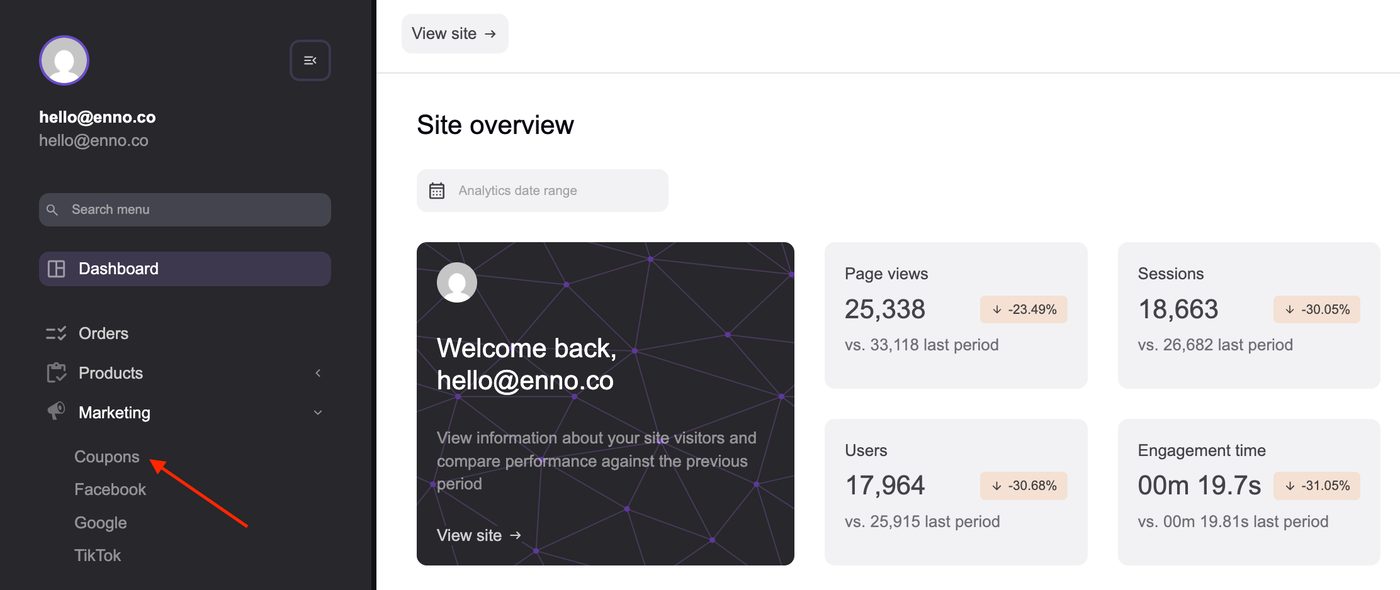
To get started, login to WebPanel and navigate to Marketing > Coupons.
Creating or Adding a Coupon
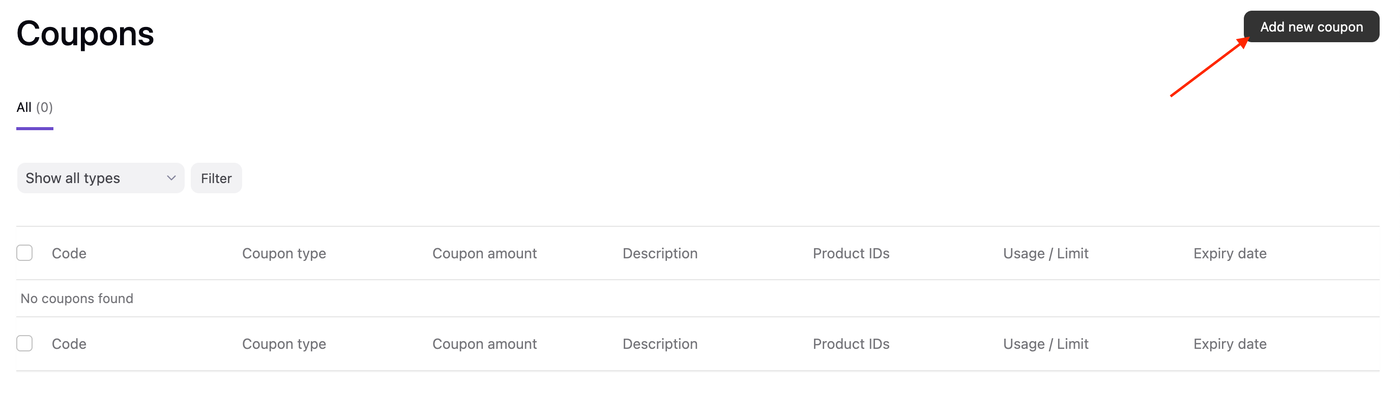
1. Click the Add new coupon button at the top of the screen.
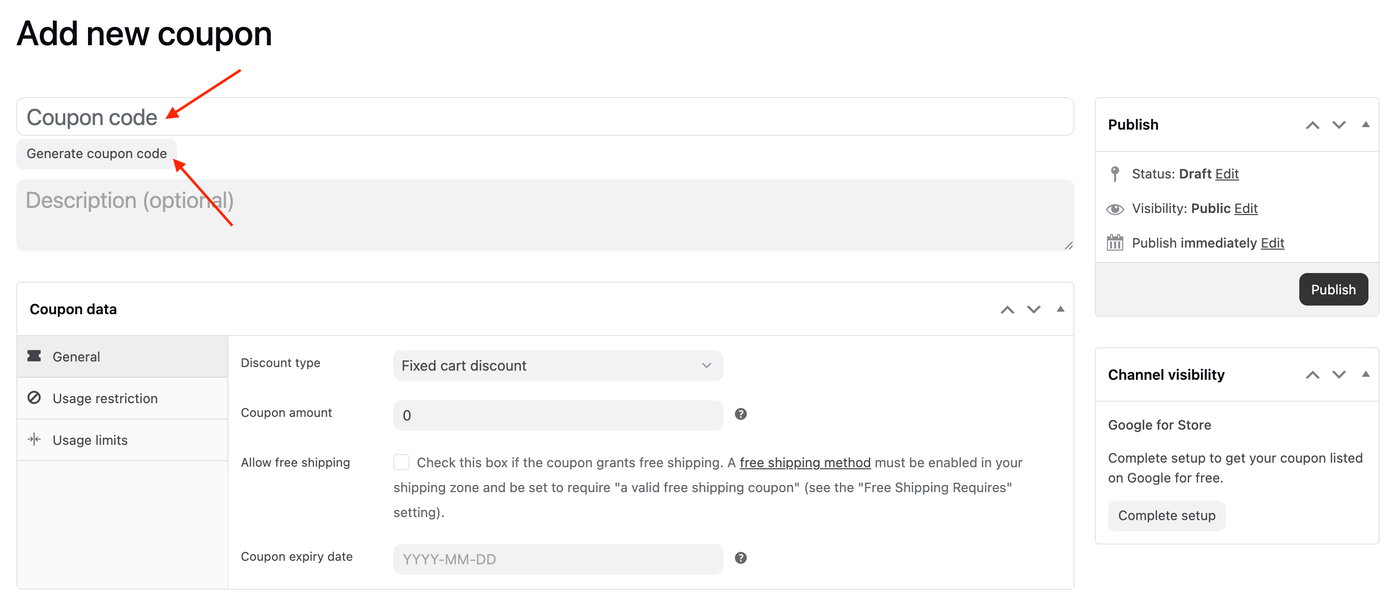
2. Enter or generate a random Coupon code. This is the code your customers use on the cart or checkout pages to apply the discount.
3. Select Discount Type from the dropdown menu. There are three choices:
Percentage discount — A percentage discount for selected products only. For example, if the cart contains 3 shirts @ RM20 each = RM60, a coupon for 10% off applies a discount of RM6.
Fixed cart discount — A fixed total discount for the entire cart. For example, if the cart contains 3 shirts @ RM20 each = RM60, a coupon for RM10 off gives a discount of RM10.
Fixed product discount — A fixed total discount for selected products only. Customers receive a set amount of discount per item. For example, 3 t-shirts @ RM20 each with a coupon for RM10 off applies a discount of RM30.
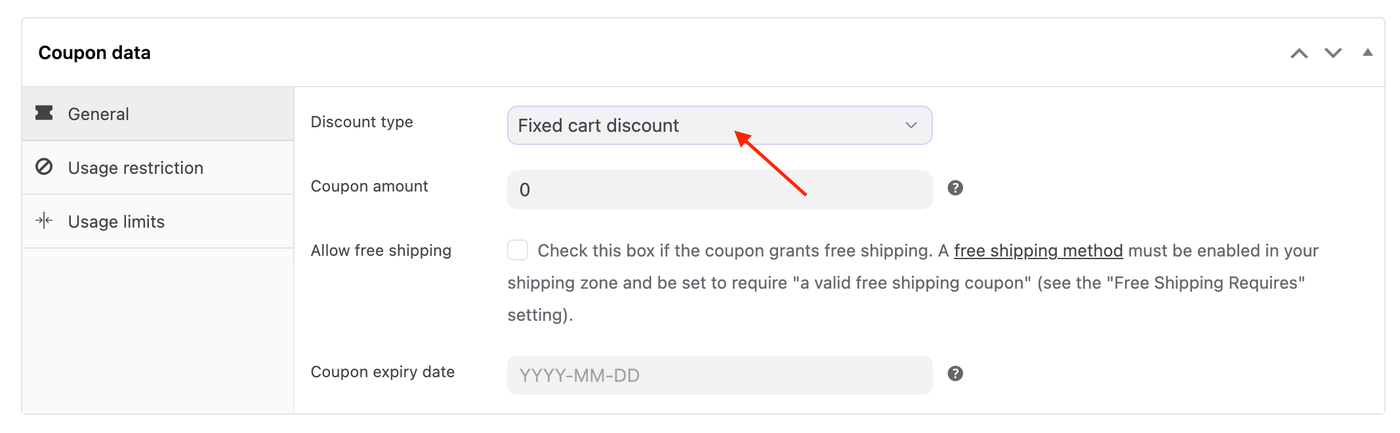
4. Enter the coupon amount without currency (i.e. : $, RM, £) or percent (%) signs.
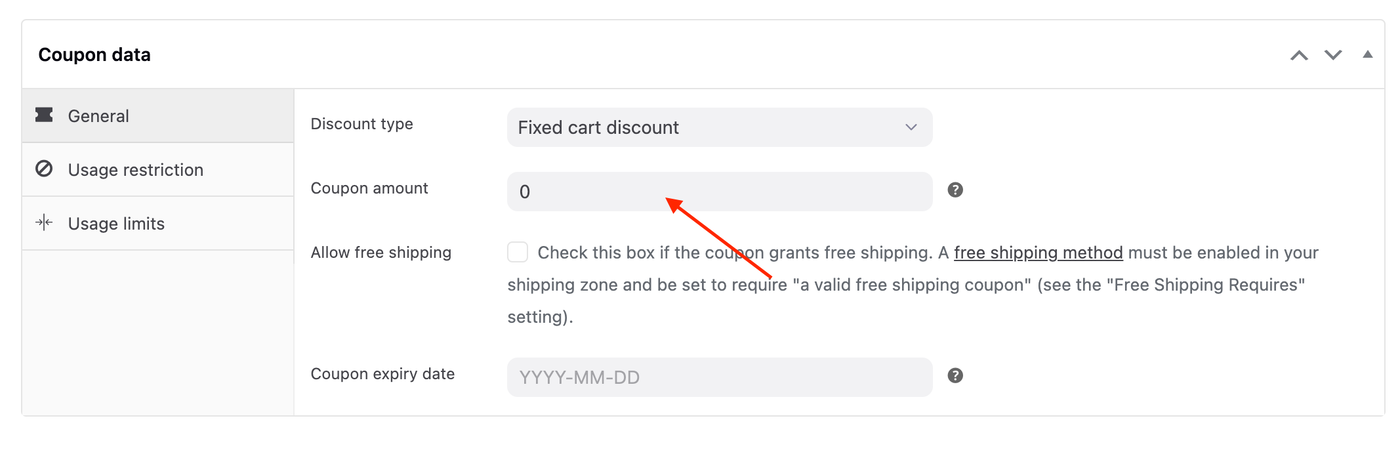
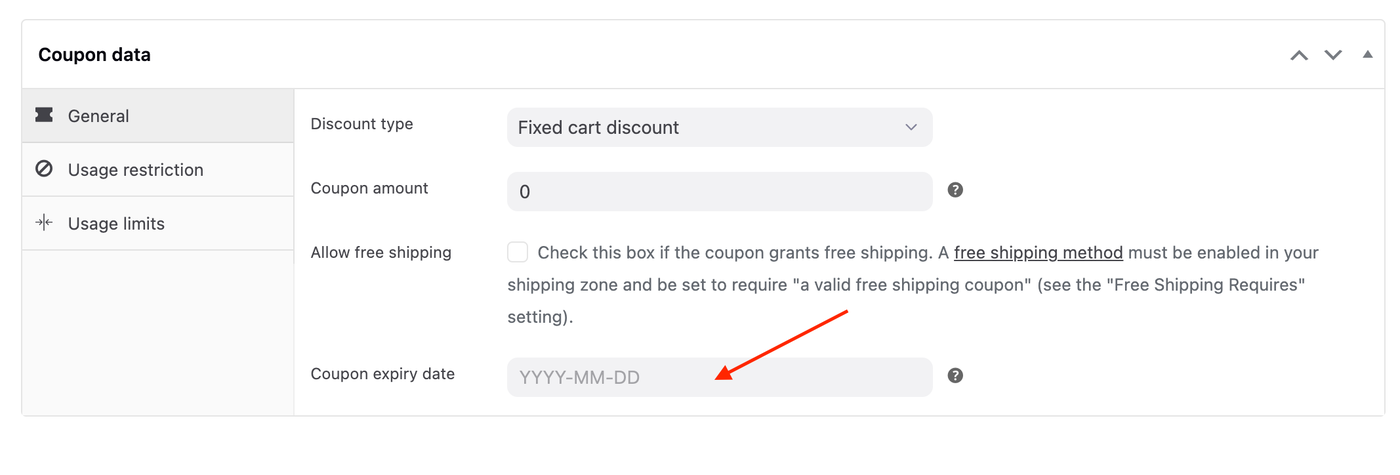
5. Set a coupon expiry date (optional). Coupons expire/cannot be used on the date that is set.
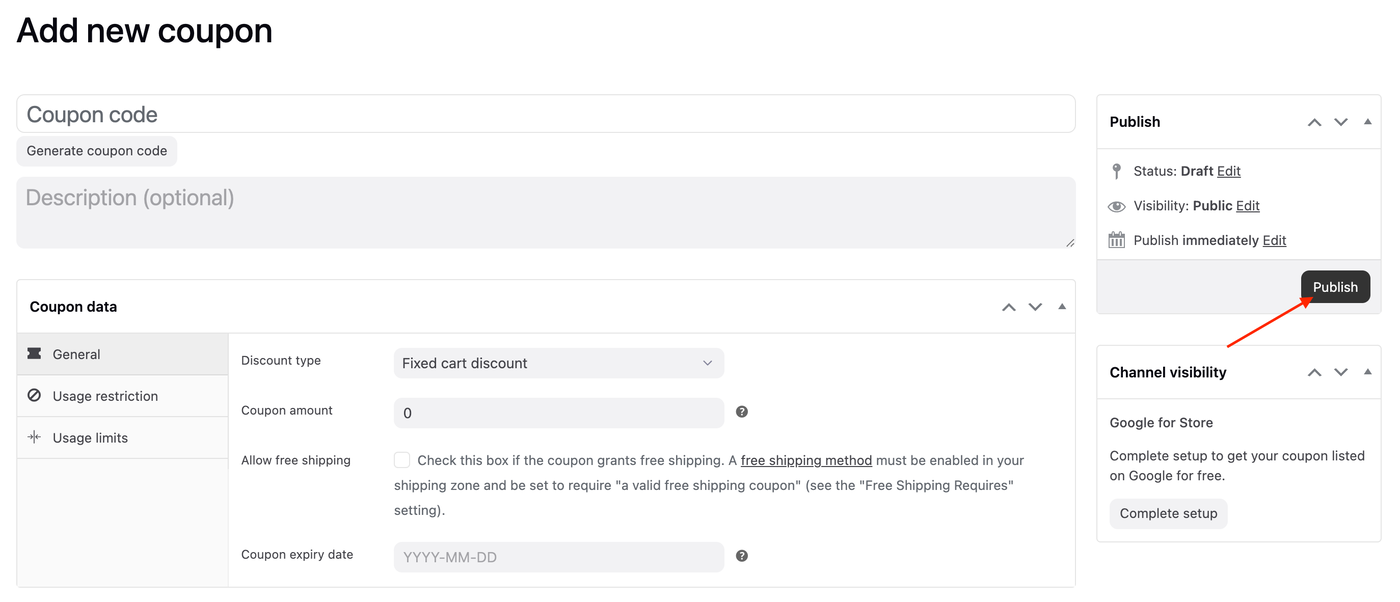
6. Click the Publish button on the right-hand side if you do not need to add any usage restrictions or usage limits (covered in the next section).
Setting Coupon Usage Restrictions
Click the Usage Restriction menu.
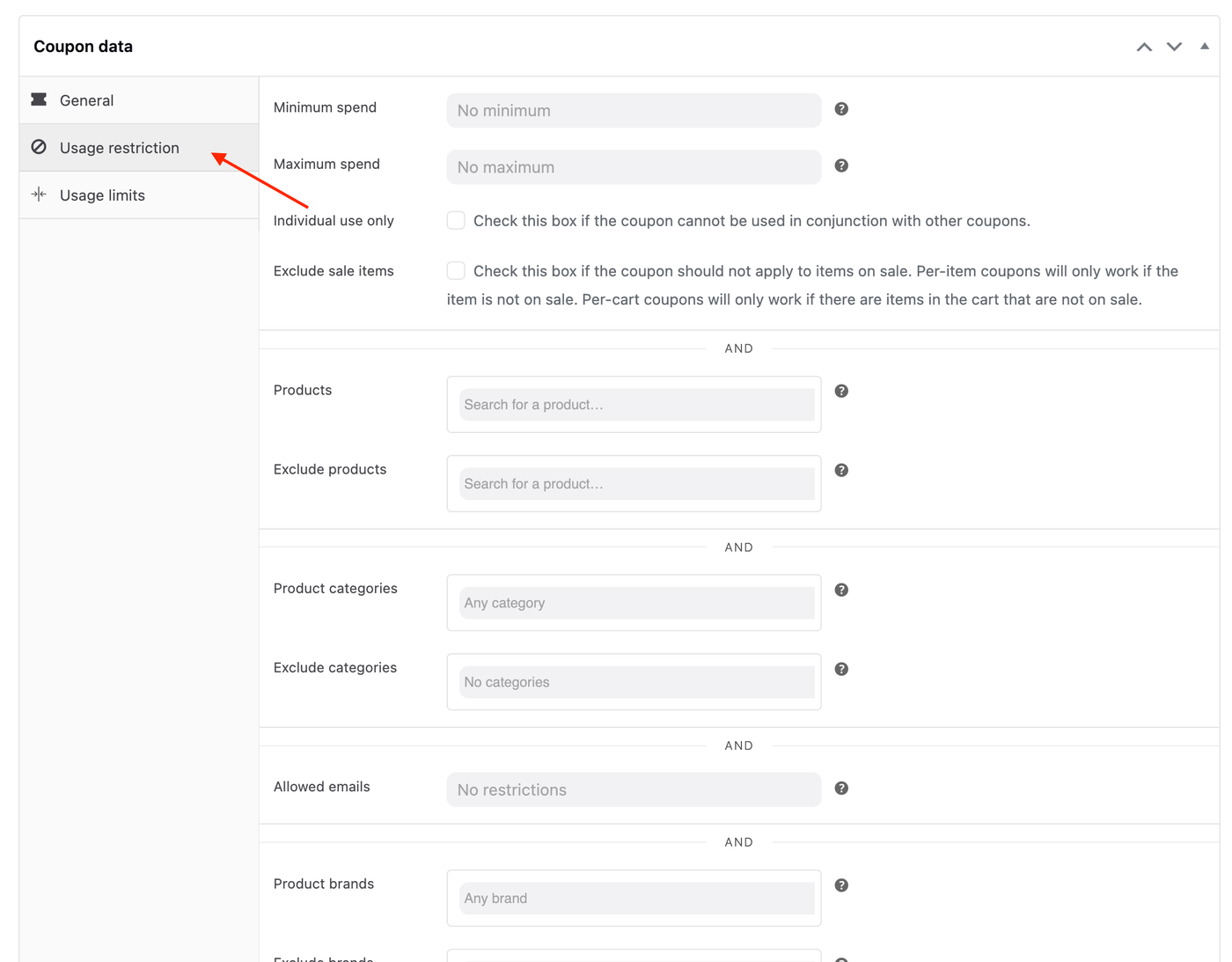
Below, we describe each type of restriction that you can apply to a coupon:
Minimum spend — Set the minimum subtotal needed to use the coupon.
Maximum spend — Set the maximum subtotal allowed when using the coupon.
Individual use only — Tick the box if the coupon cannot be used in combination with other coupons.
Exclude sale items — Tick the box if the coupon does not apply to products on sale. Per-cart coupons don’t work when a sale item is added afterward.
Products — The coupon can be applied to these specific products, or these products must be in the cart for the coupon discount to apply.
Exclude products — You cannot apply the coupon to these specific products, or these products cannot be in the cart for the coupon discount to apply.
Product categories — The coupon applies to only these categories or requires specific categories in the cart for the discount to apply.
Exclude categories — The coupon does not apply to these categories, or specific categories must not be in the cart for the coupon discount to apply.
Allowed Emails/Email restrictions — These are email addresses that can use a coupon.
Product brands — The coupon can be applied to these specific brands.
Exclude brands — You cannot apply the coupon to these specific brands.
Setting Coupon Usage Limits
Click the Usage Limits menu.
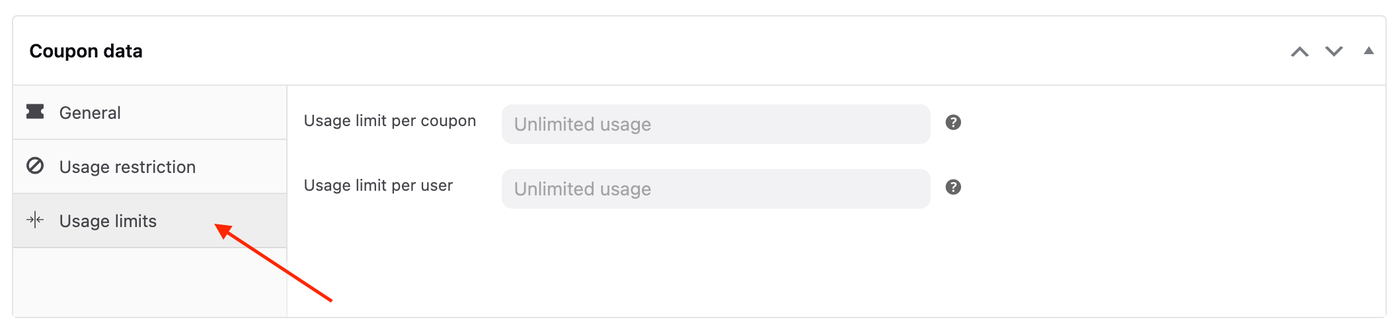
Usage limits specify how many times customers can use a coupon. There are 2 ways to limit coupon usage:
Usage limit per coupon — Each coupon has a usage limit indicating how many times all customers can use it before it becomes invalid.
Usage limit per user — Each customer can use the coupon a certain number of times before it becomes invalid specifically for that customer.