
Products - Adding a Simple Product
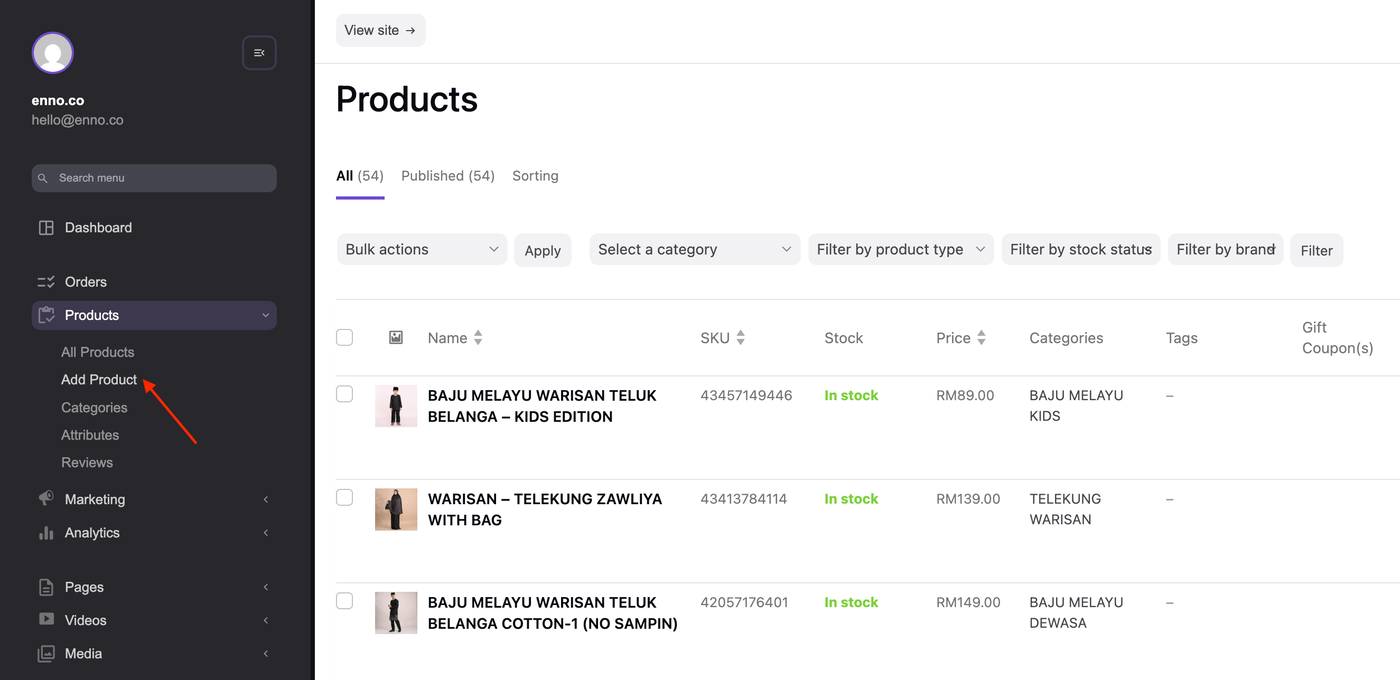
1. Go to Products > Add Product.
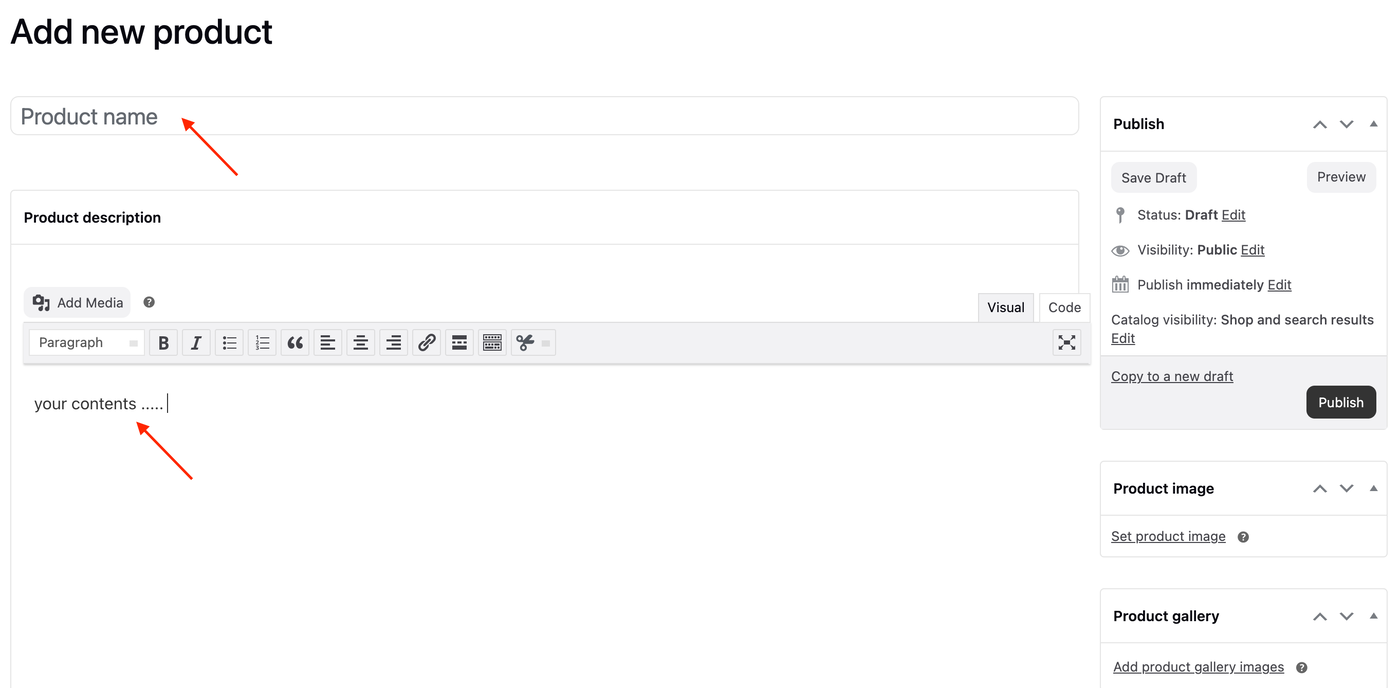
2. Enter the product name and description.
3. Scroll down to the Product Data section and select Simple Product from the dropdown menu.
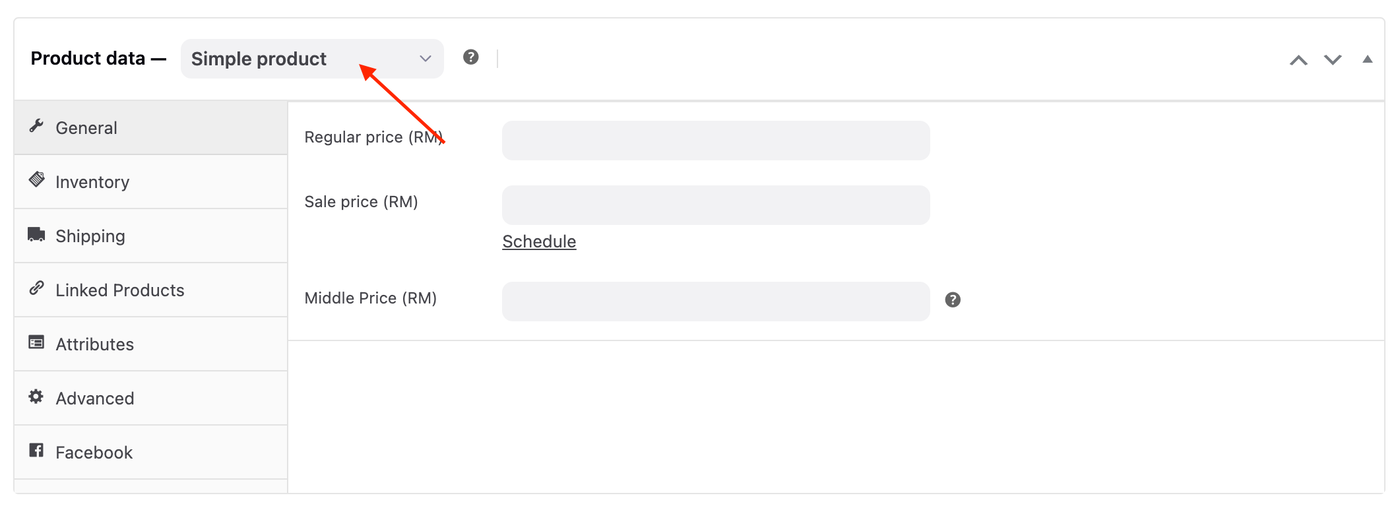
4. Under the General tab, enter the product Regular price and Sale price (if any).

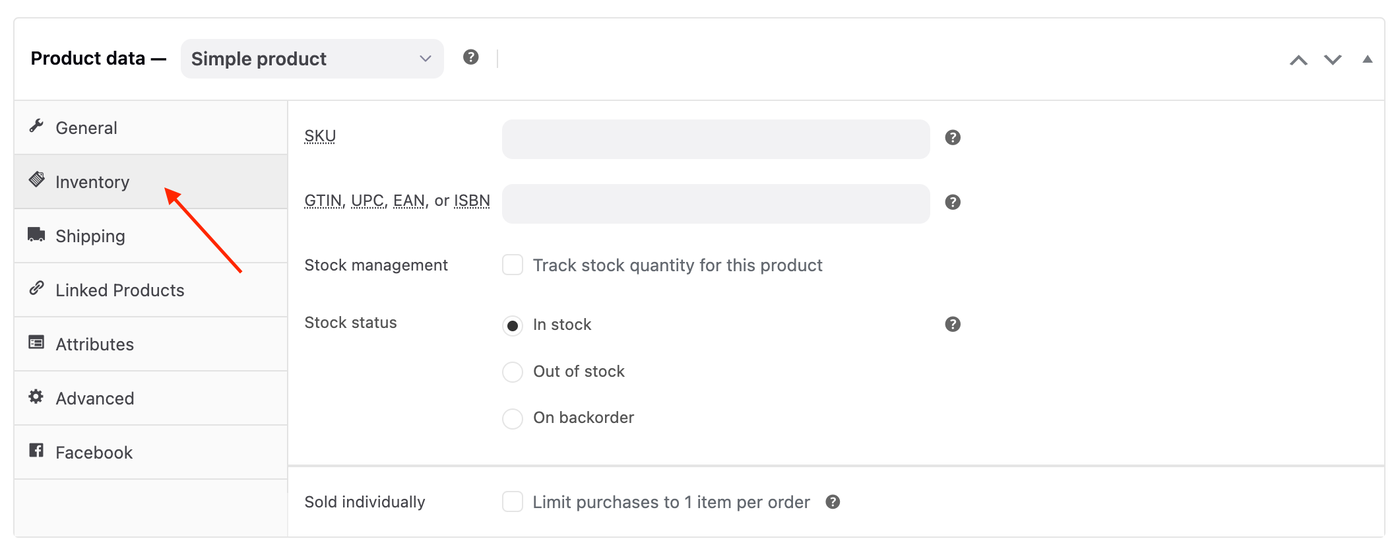
5. (Optional) Under the Inventory tab, you can enter or select the following details:
SKU
GTIN, UPC, EAN, or ISBN
Stock management
Stock status
Sold individually
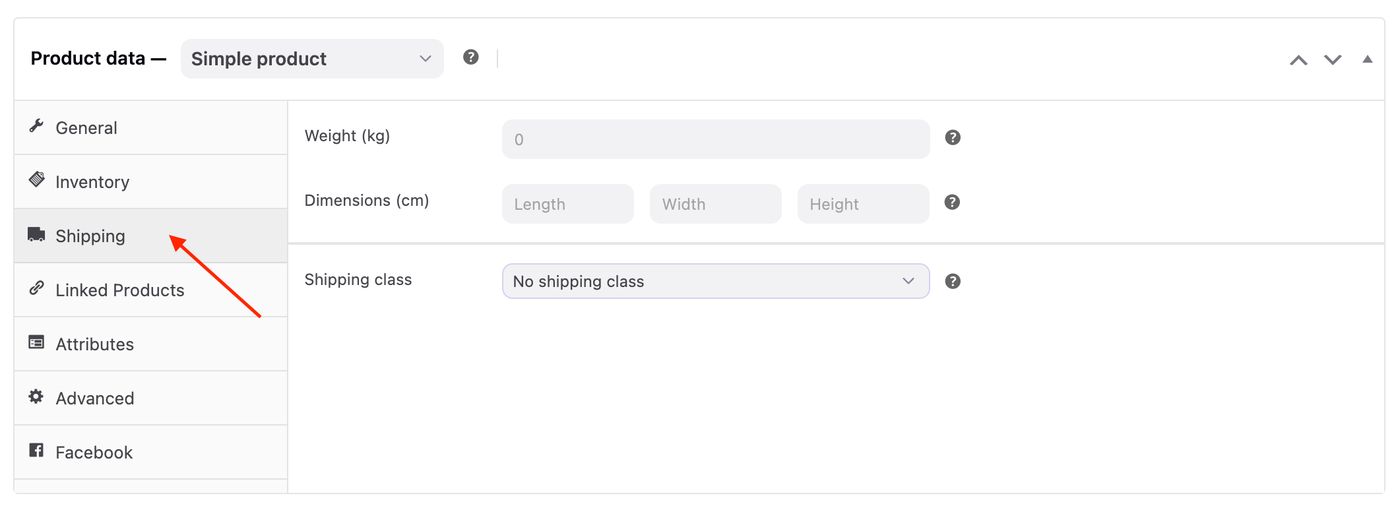
6. (Optional) Under the Shipping tab, you can enter the following details:
Weight
Dimensions (cm)
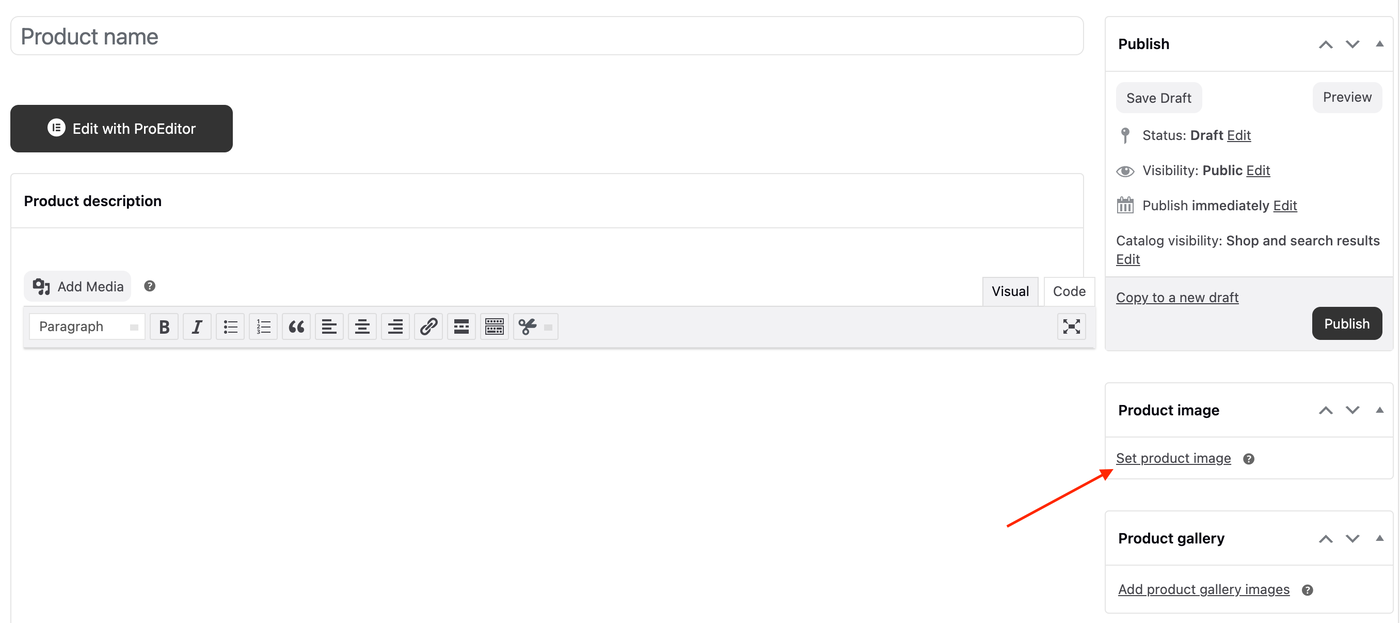
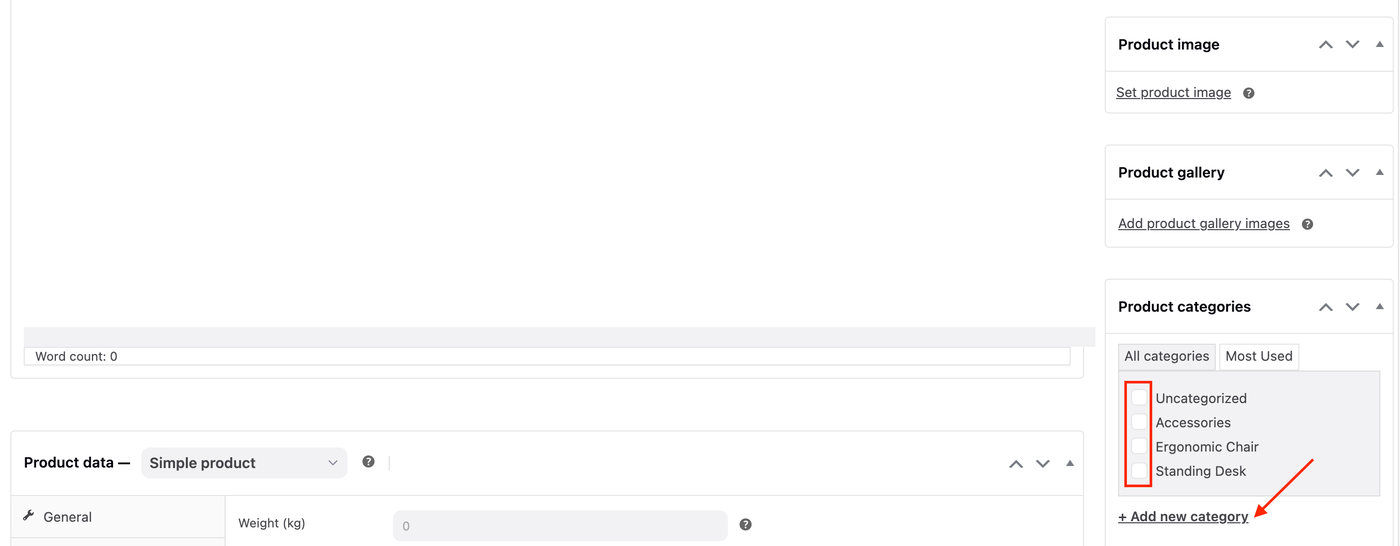
7. In the Product image panel in the right-hand column, click the Set product image link.
8. (Optional) In the Product gallery panel, you can upload more images by click the Add product gallery images link.
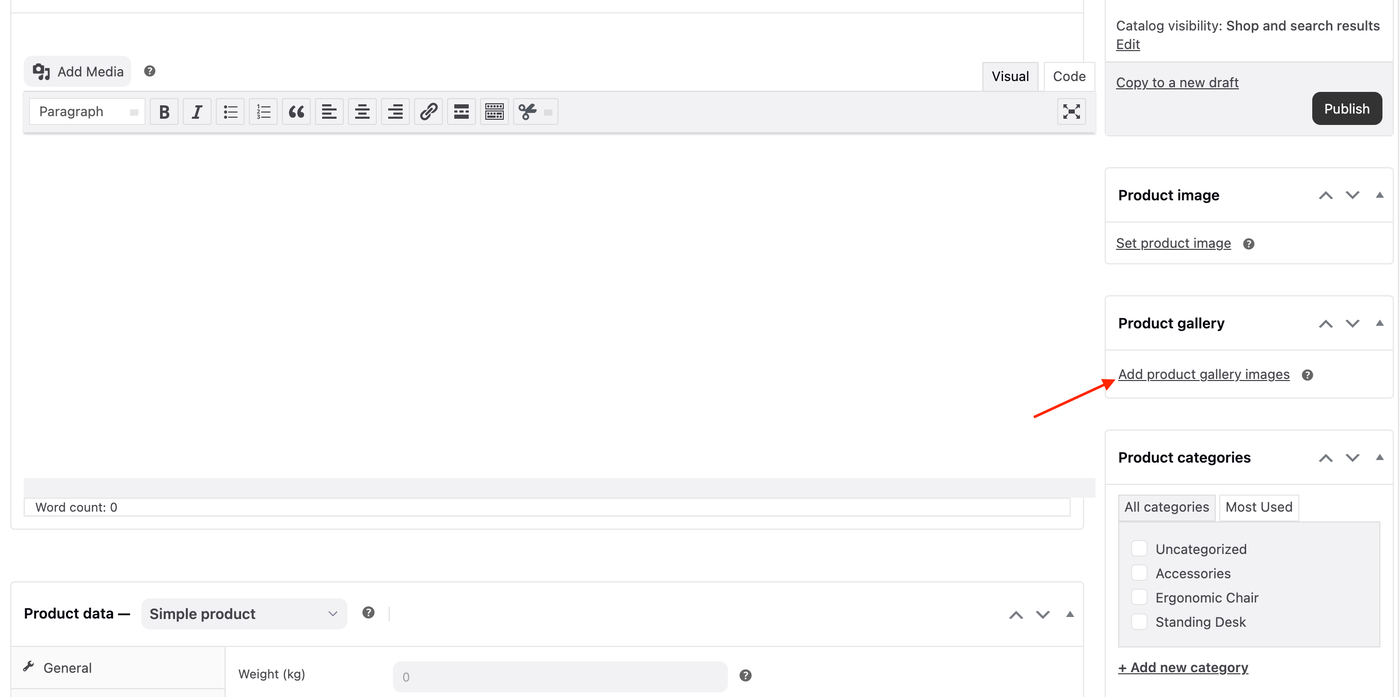
9. (Optional) In the Product categories panel, select the appropriate categories or + Add new category.
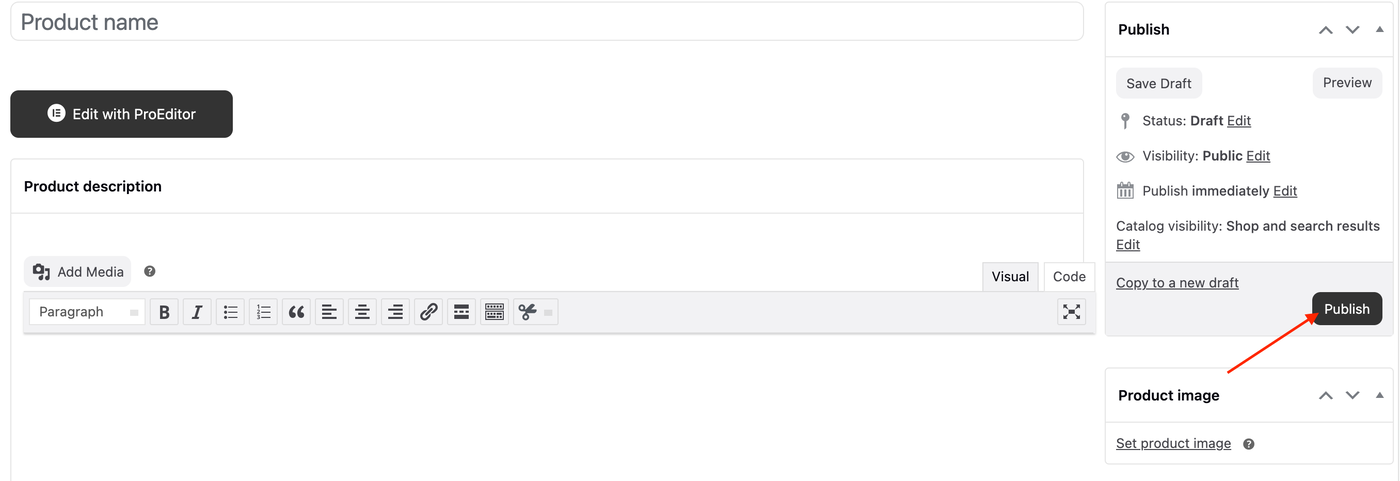
10. Finally, click the Publish button to make your product live in your store.