

Creating a Container
ProEditors offers both Flexbox and Grid layouts. Both methods provide powerful tools for arranging elements on a page, they have distinct approaches and use cases.

Quick Overview
The most significant difference between grid layout and flexbox layout is the dimension in which they manage content:
Layout | Description |
|---|---|
Flexbox | One-Dimensional: Great for lining up items in just one direction (a row or a column). Use it to quickly align things like menus, buttons, or spacing within a single area. 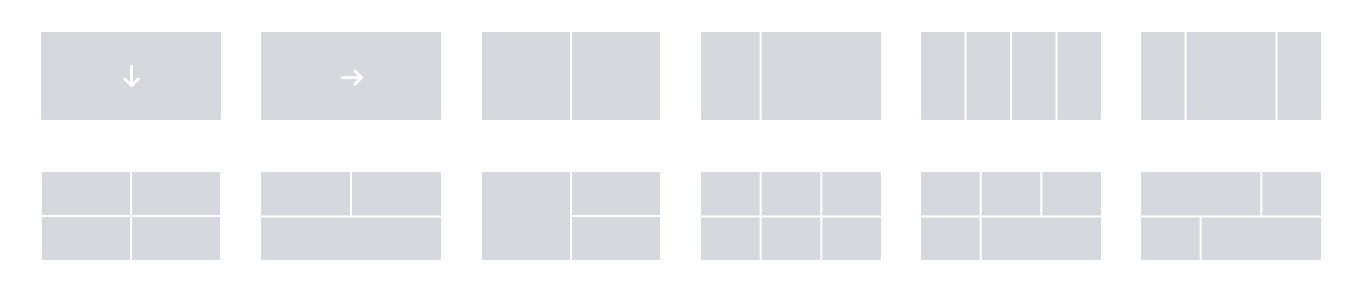 |
Grid | Two-Dimensional: Used for building the whole page structure with both rows and columns at the same time. Think of it for complex layouts like photo galleries or blog grids.  |
Create a Flexbox Container
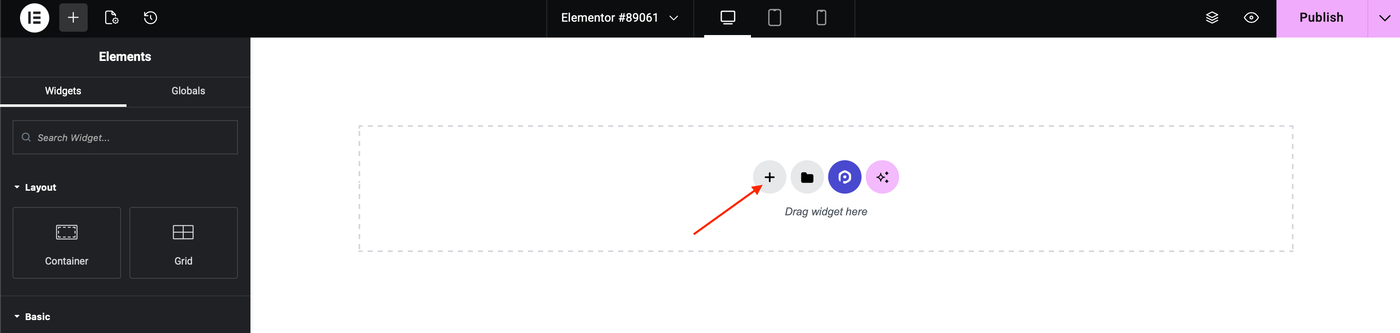
1. Click the + sign on the content area.
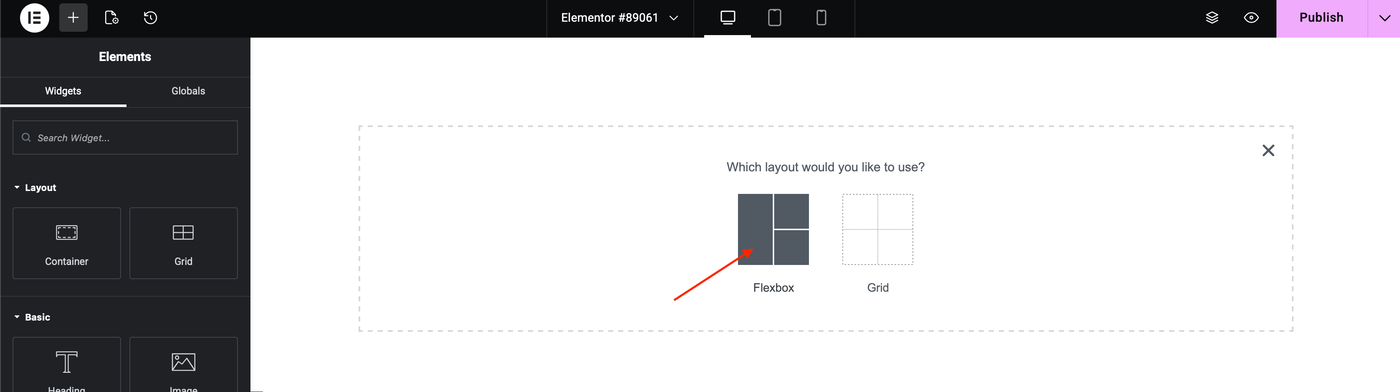
2. Select Flexbox.
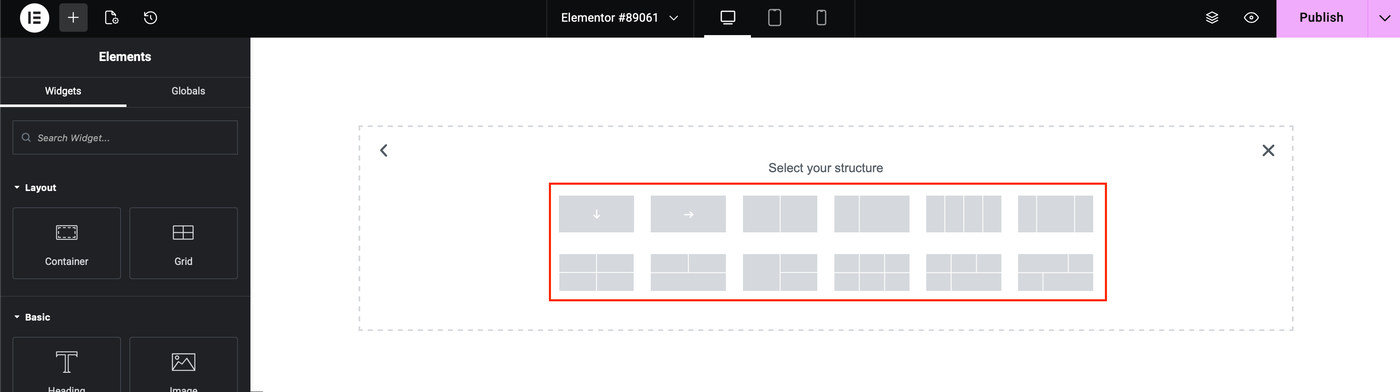
3. A selection of layouts appears. Select the layout that best suits your design.
4. Now, you can start designing the section by adding widgets to the containers, see, adding elements to the content area.
Create a Grid Container
1. Click the + sign on the content area.
2. Select Grid.
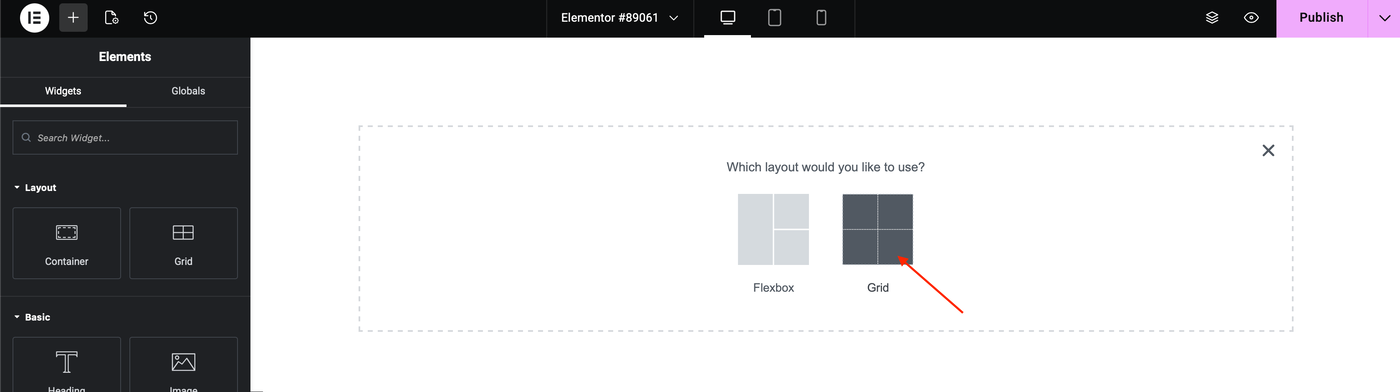
3. A selection of layouts appears. Select the layout that best suits your design.
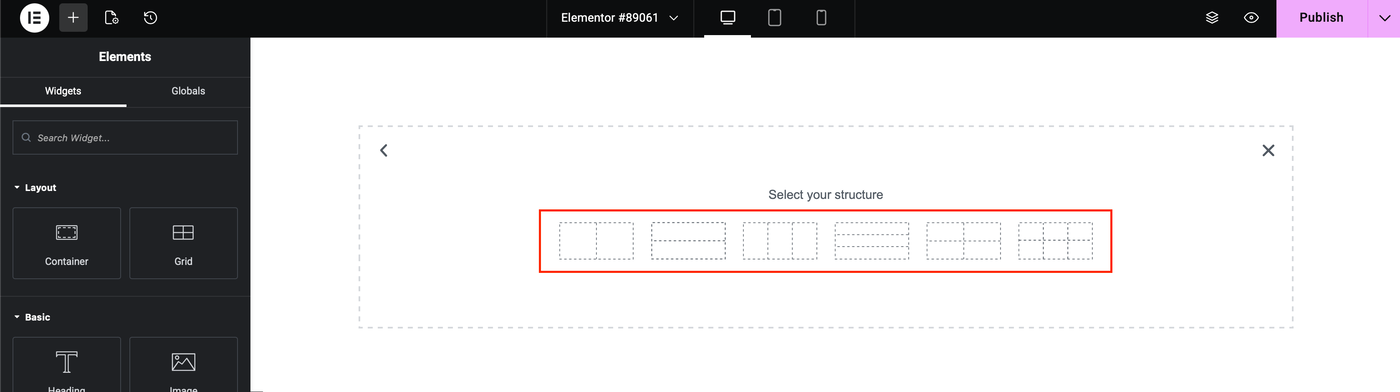
4. Now, you can start designing the section by adding widgets to the containers, see, adding elements to the content area.