

Google Chrome - Delete your browsing data
Delete your browsing data to clear stored cache, cookies, and browsing history, which may help fix website issues or improve browser performance.
1. Open Google Chrome.
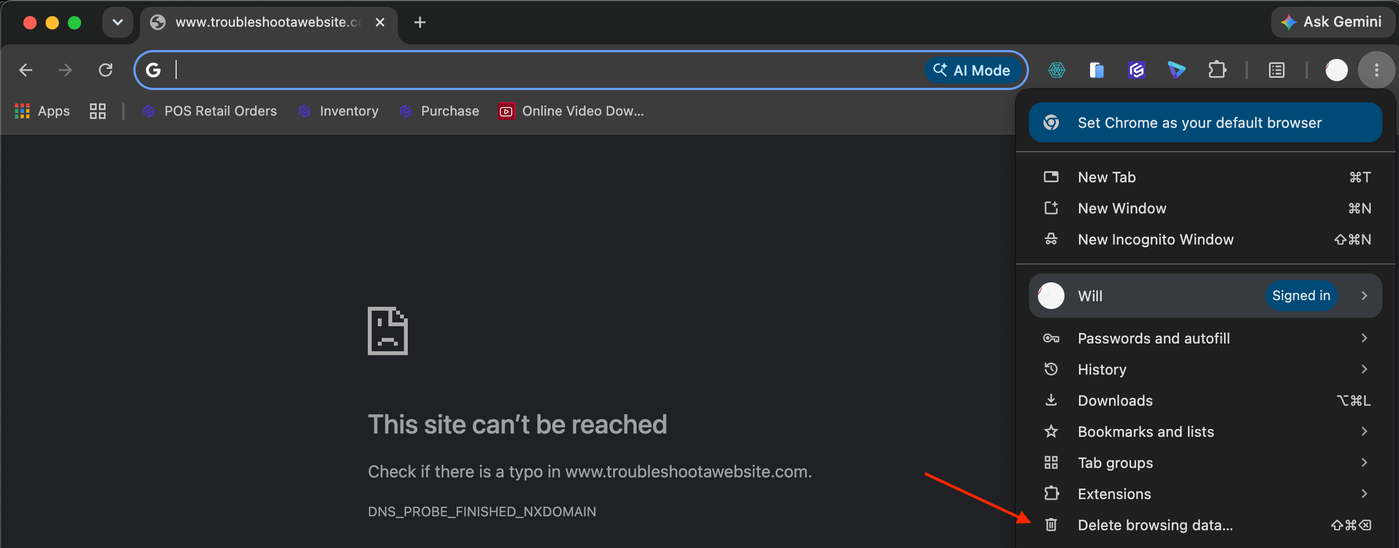
2. Click the three-dot menu (⋮) in the top-right corner.

3. Select Delete browsing data.
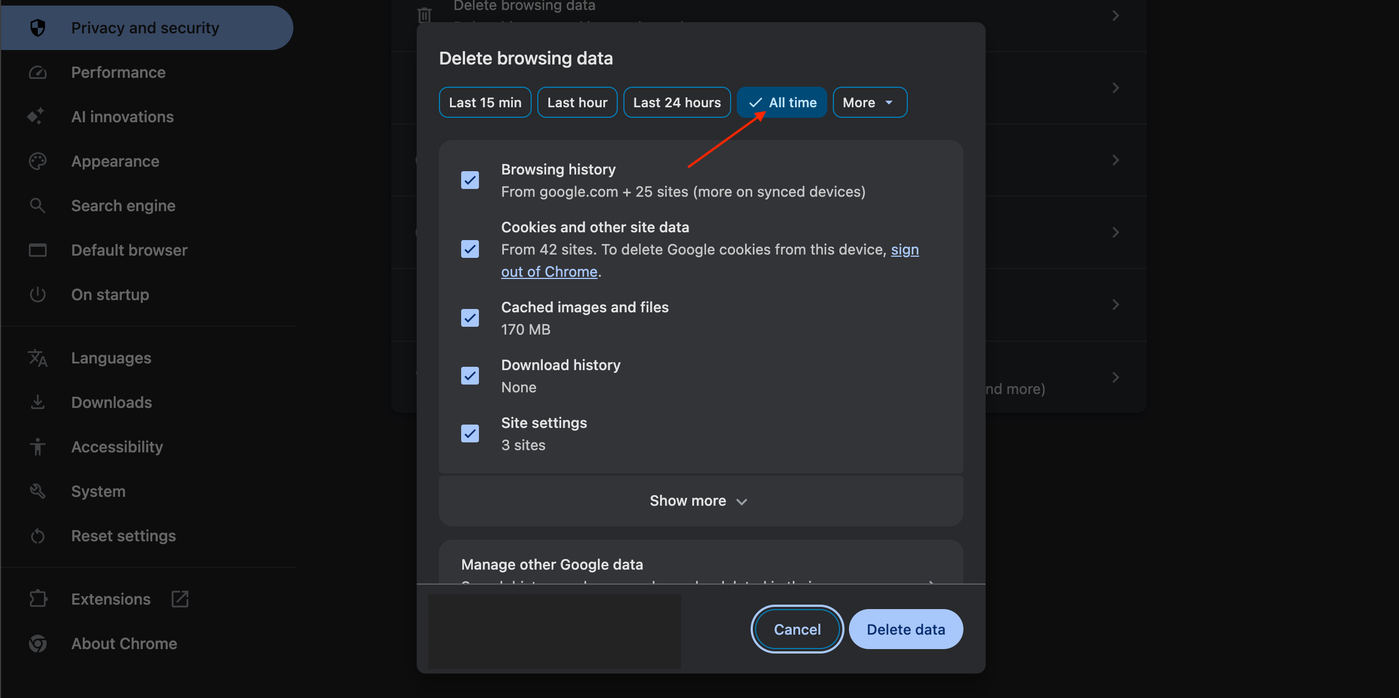
4. Choose All time.
5. Select Browsing history, Cookies and other site data, Cached images and files, Download history, Site Settings.
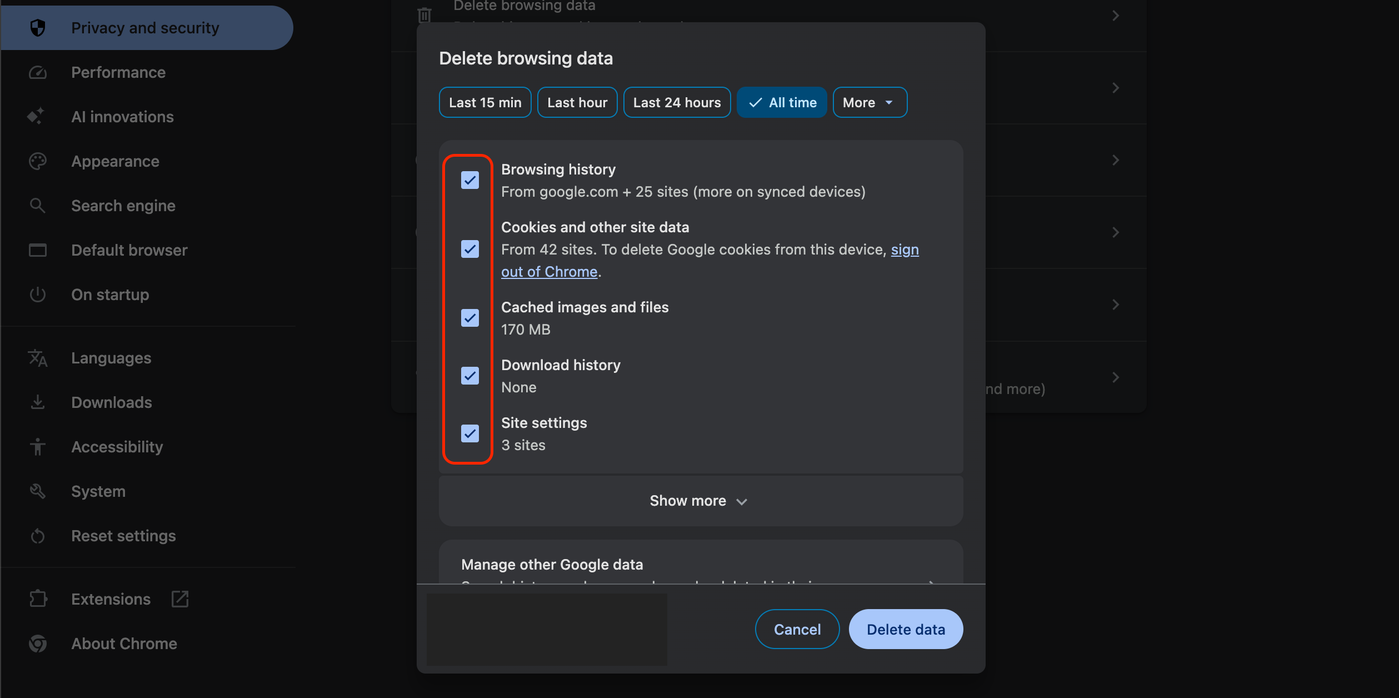
6. Click Delete data.