

Zoho - Reset User Account Password as Administrator
1. Log in to Zoho Mail Admin Console and click the ☰ icon.
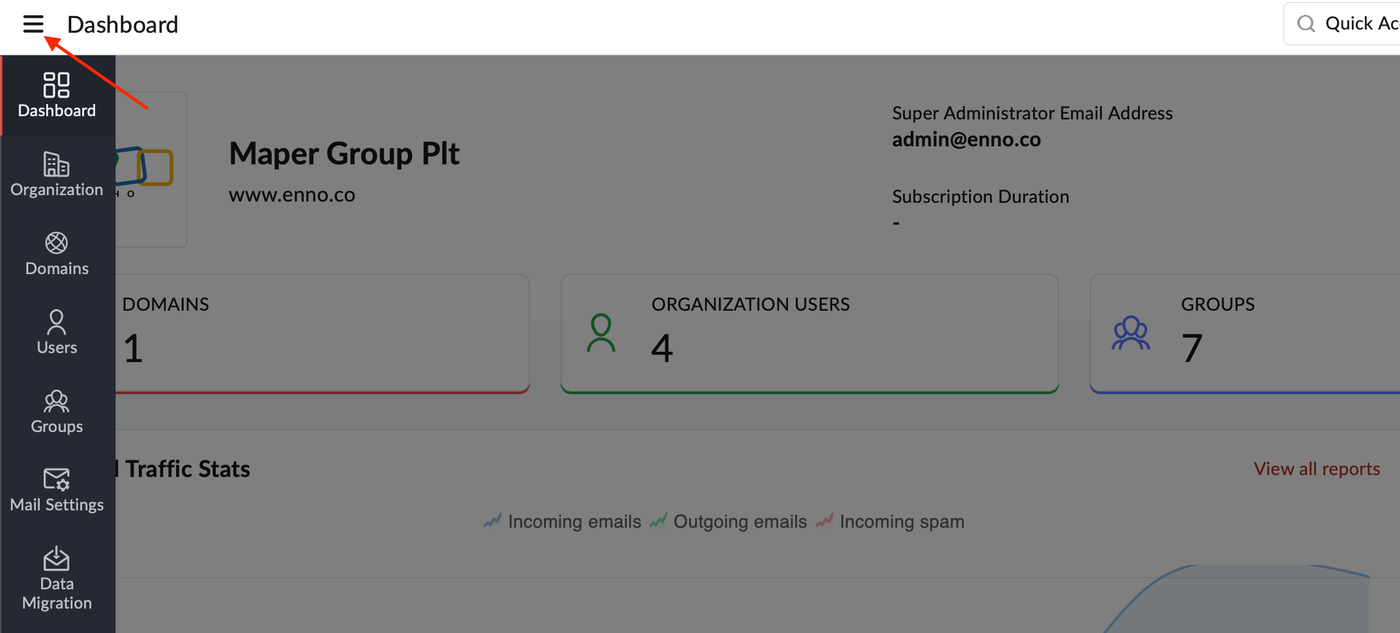
2. Select Users in the left pane and hover over the respective user's name, click the More actions icon.
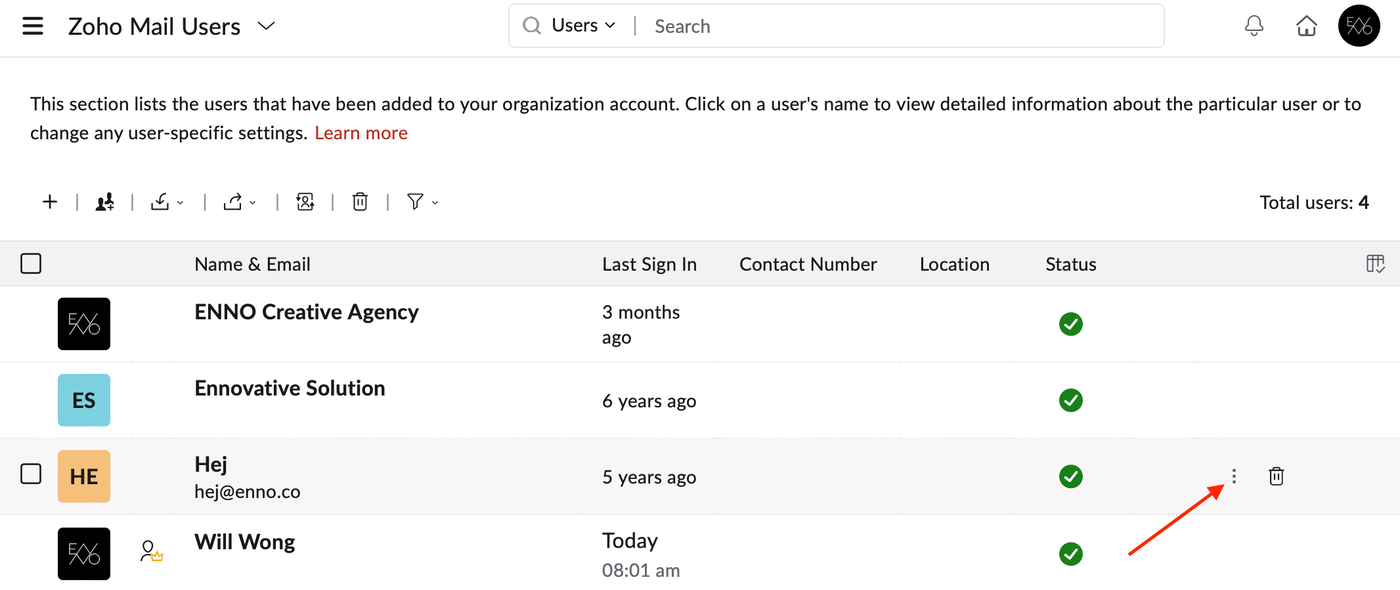
3. Select Change password.
4. Enter the password you want to set for the user and confirm the same again.
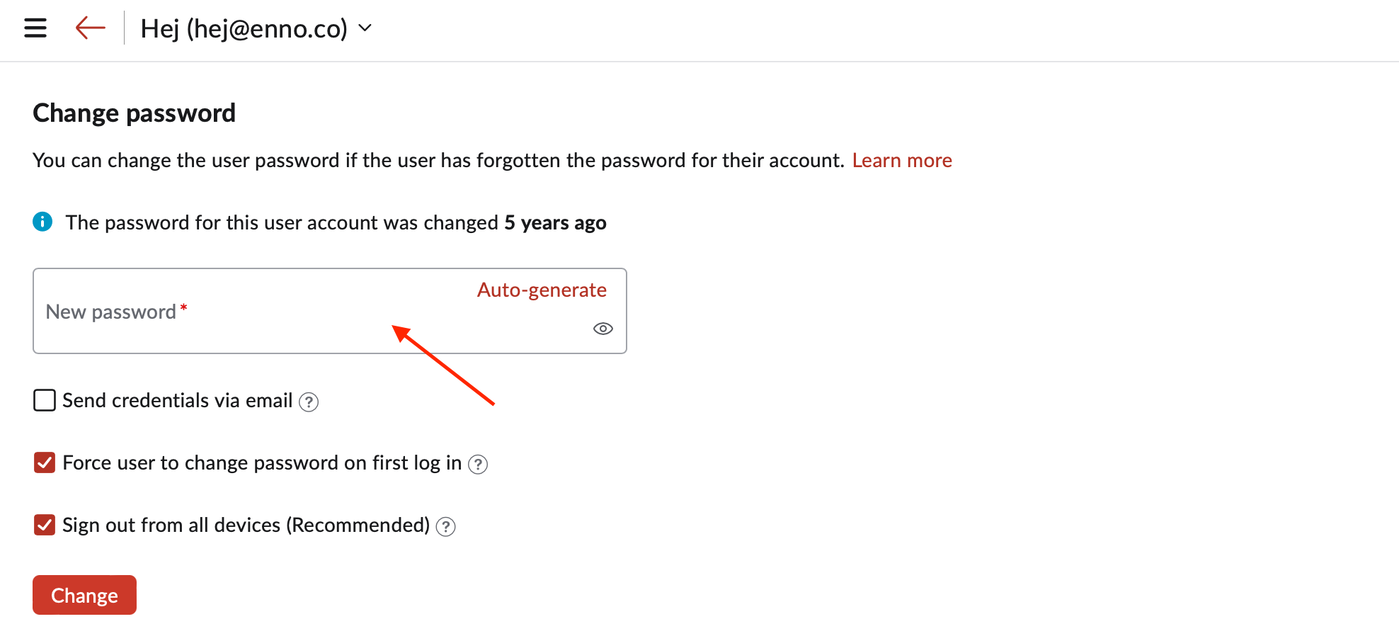
5. Once done, click Change.
6. You will be redirected to verify your identity to perform this action.