

Stripe - Add Team Member
1. Go to https://dashboard.stripe.com/login and sign in to your account.
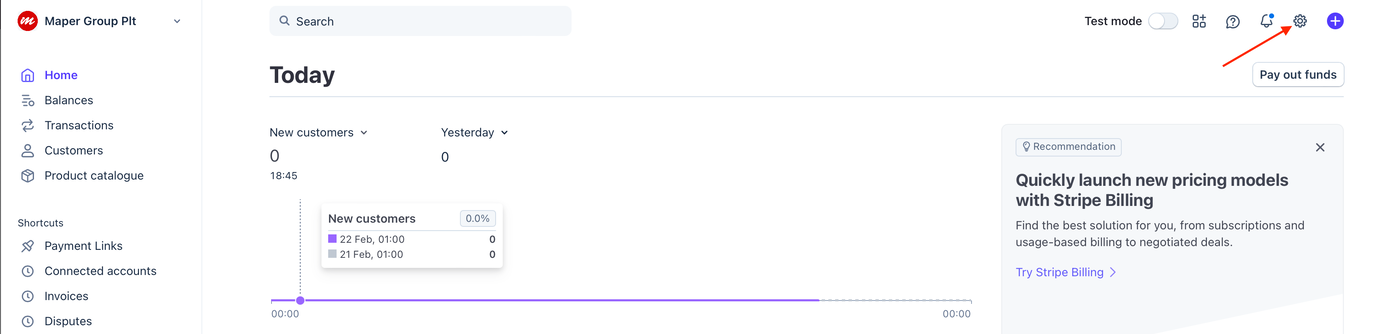
2. Click Settings icon.
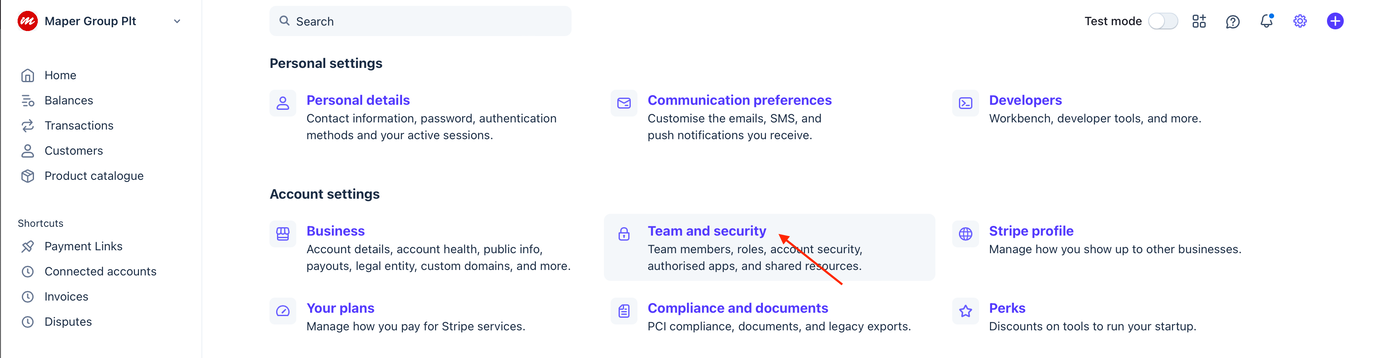
3. Click the Team and security tab.
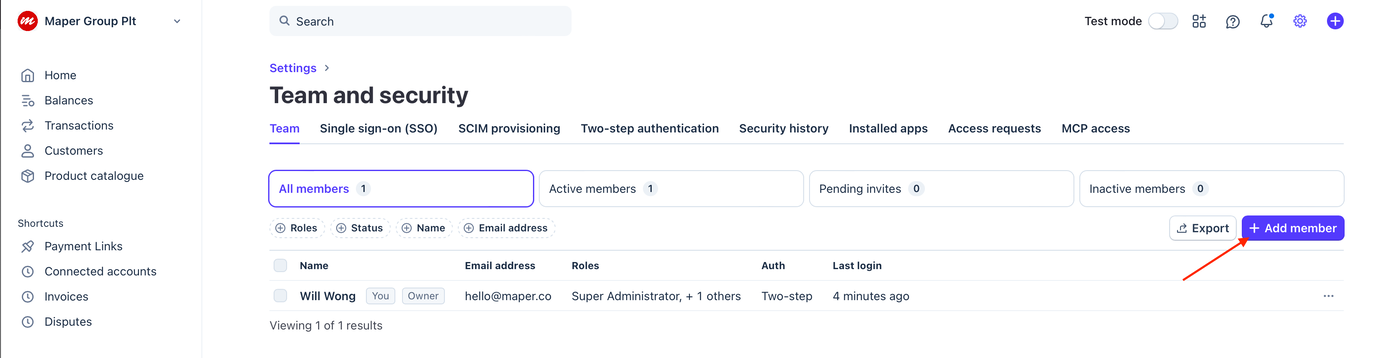
4. Click the + Add member button.
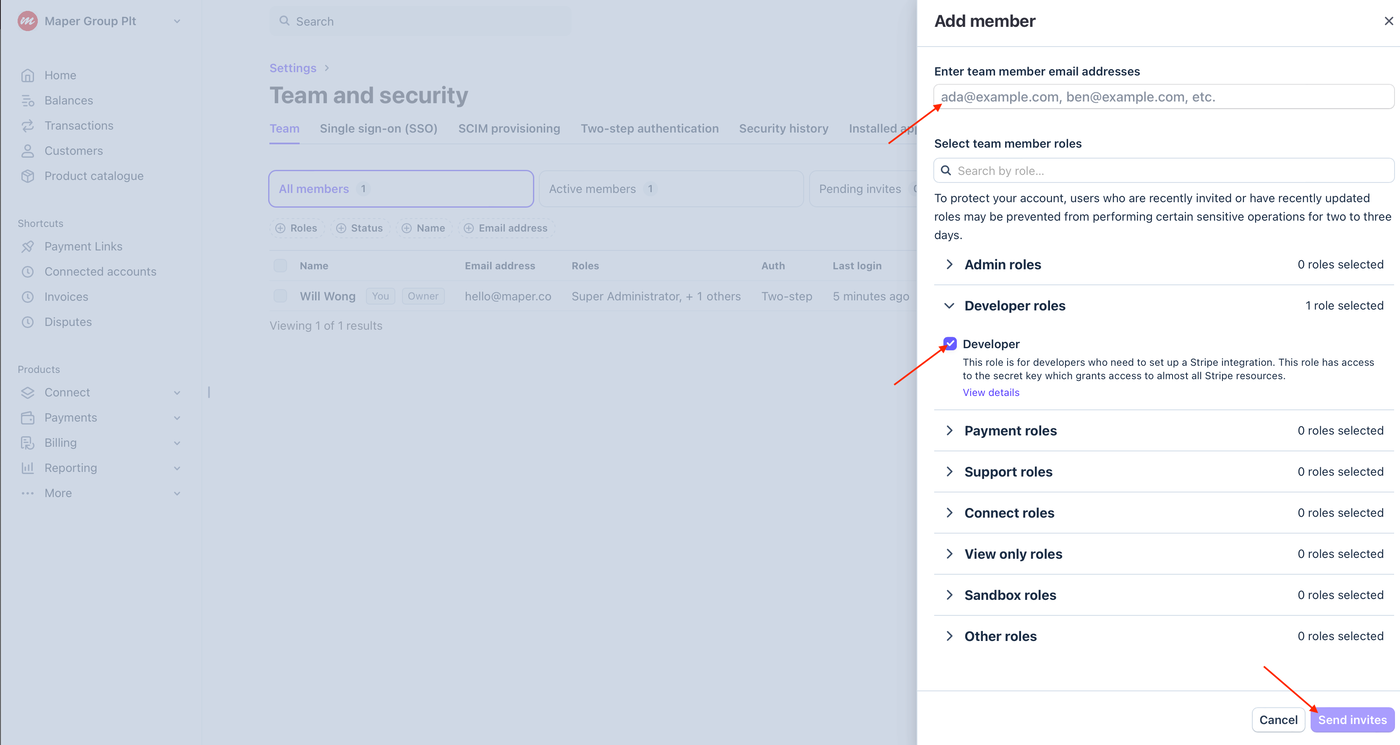
5. Enter the team member’s email address, assign a specific role and click the Send Invite(s) button.
Inviting Maper as a Team Member (Developer Support)
5.1. Enter hello[at]maper.co as the team member’s email address.
5.2. Select Developer as designated role.
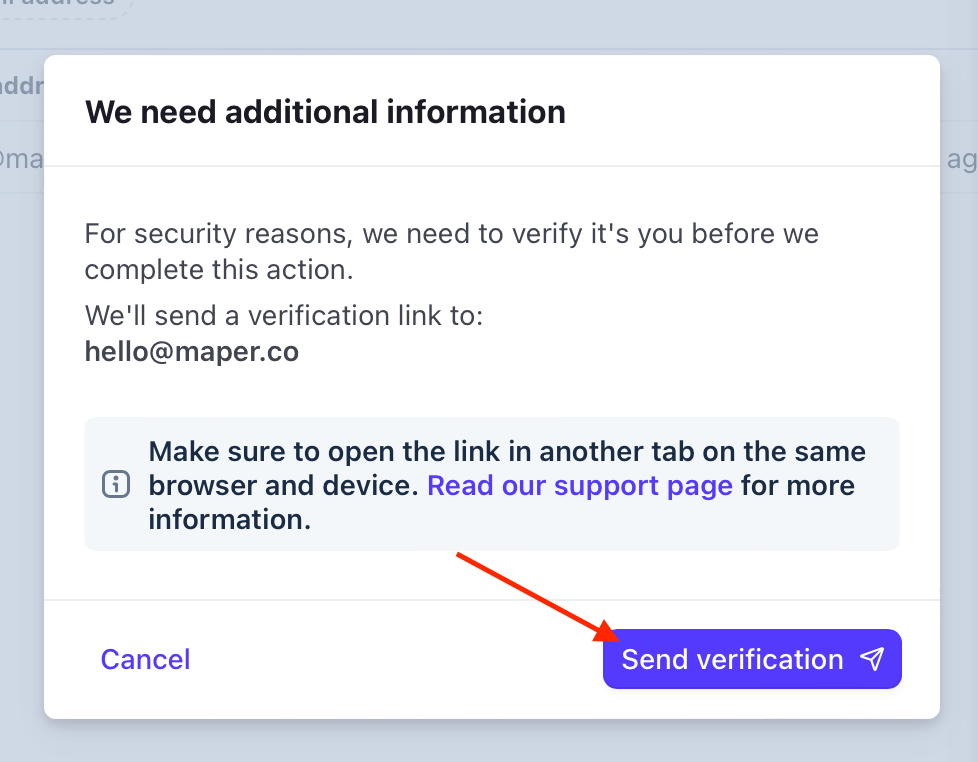
6. If required, Stripe may request identity verification for security purposes before completing this action. Click the Send Verification button and follow the instructions in the email to verify your identity.
7. An invitation email will be sent to the team member. Once the invitation is accepted, the member will be added to your team.