

Delyva - Add or Remove Service Providers
1. Go to https://my.delyva.app/customer/login and sign in to your account.
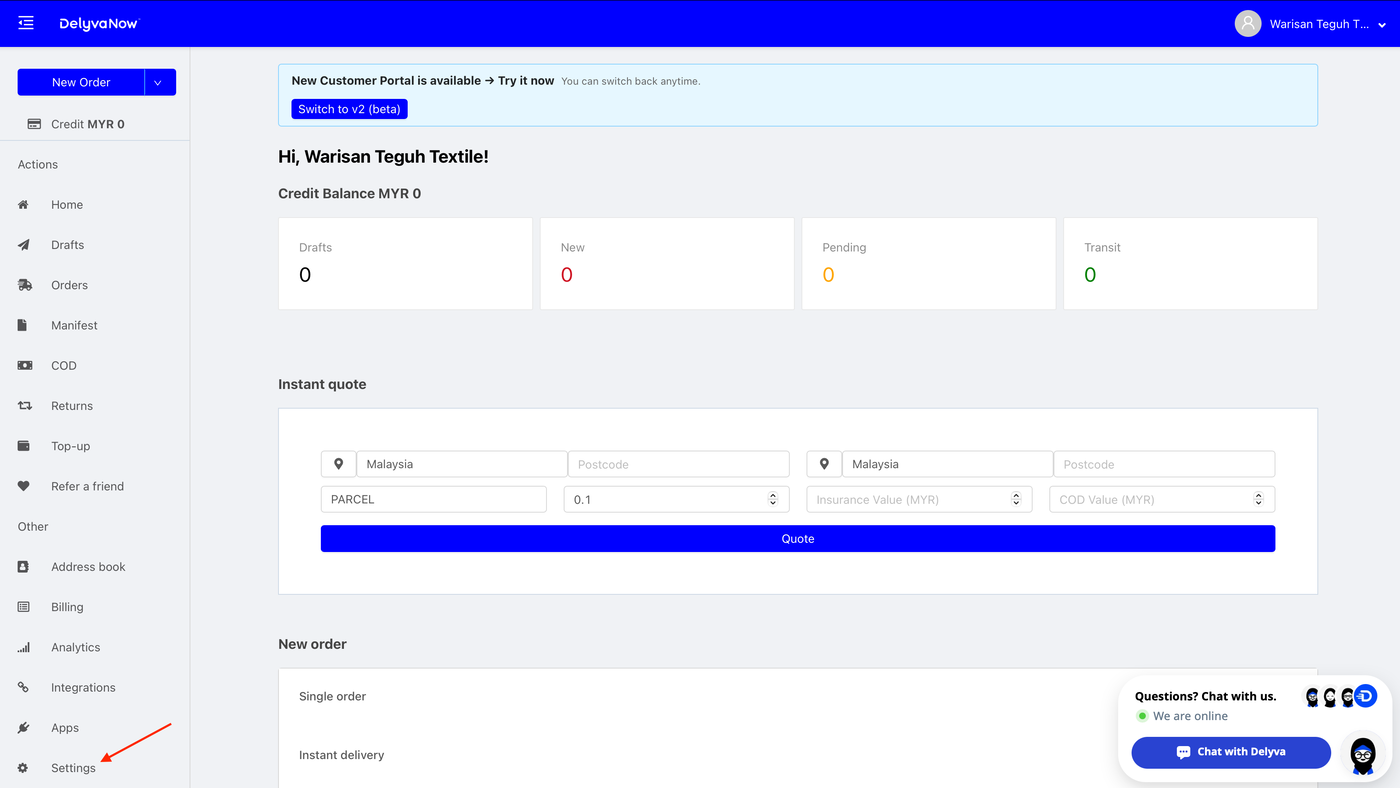
2. Click the Settings menu located in the bottom left corner.
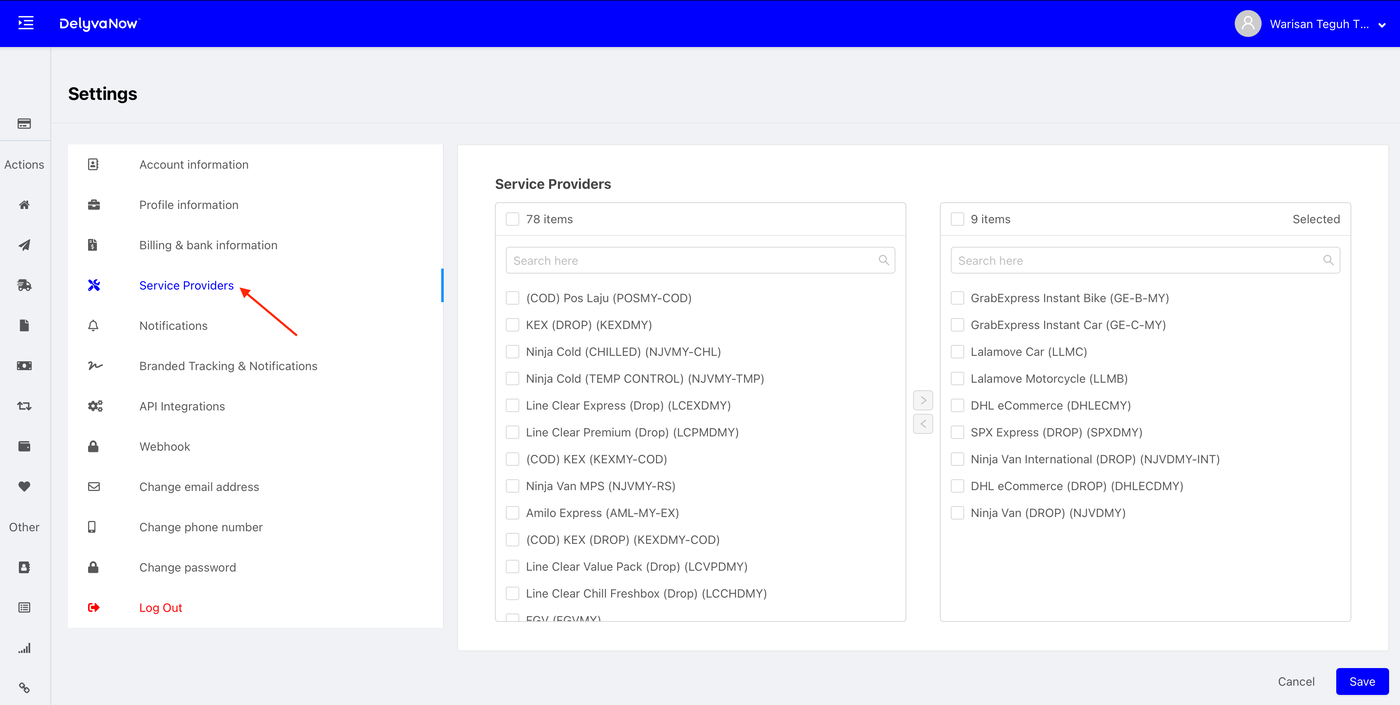
3. Click Service Providers button.
Add a Service Provider
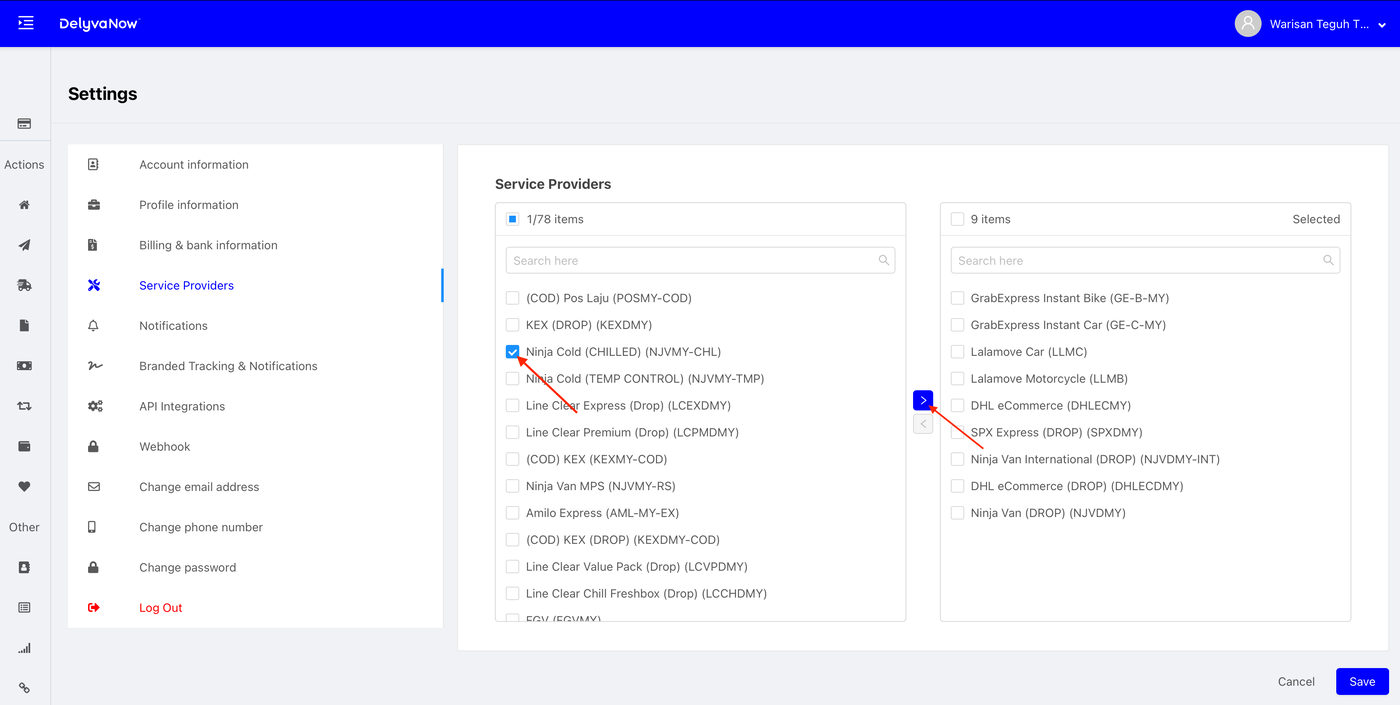
4.1. To add a shipping provider, select a service provider from the left panel and click the > button to move it to the right panel.
Remove a Service Provider
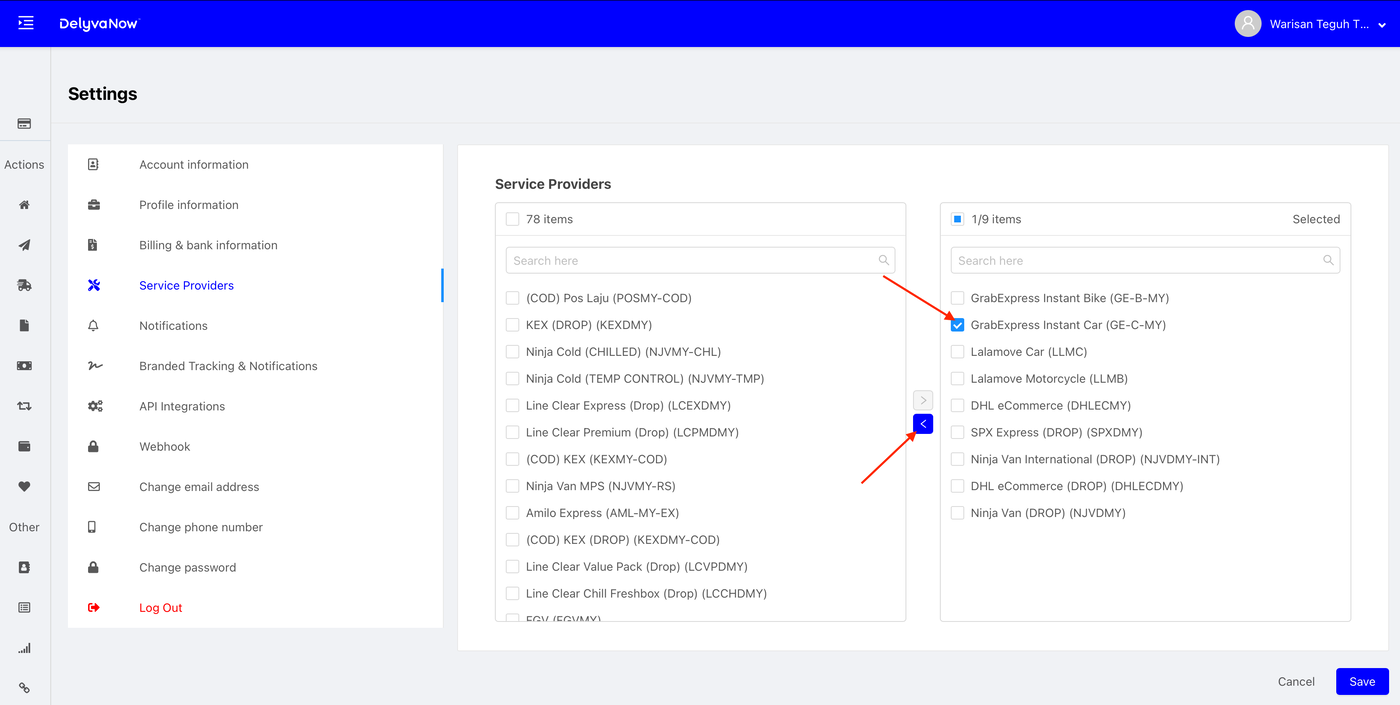
4.2. To remove a shipping provider, select a service provider from the right panel and click the < button to move it to the left panel.
5. Click Save.