
Chip - Add Team Member
1. Go to https://portal.chip-in.asia/login and sign in to your account.
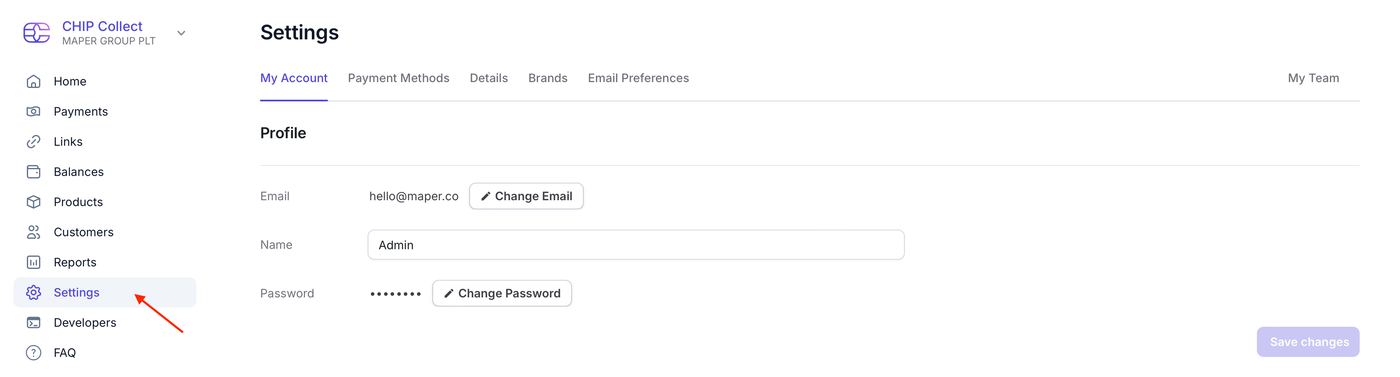
2. Navigate to the Settings page.
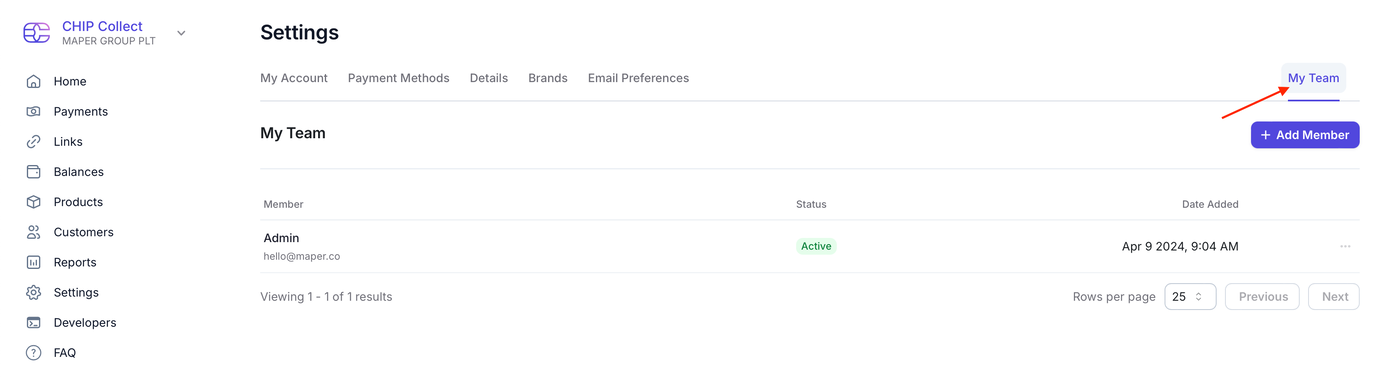
3. Click the My Team button located in the top right corner.
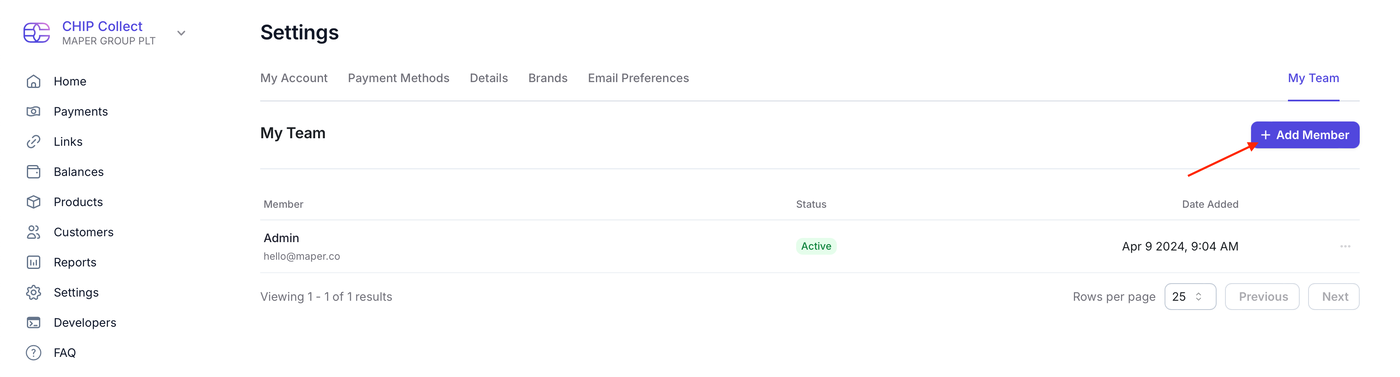
4. Click the + Add Member button.
5. Enter the team member’s email address and click the Invite button.
Inviting Maper as a Team Member (Developer Support)
Enter hello[at]maper.co as the team member’s email address.
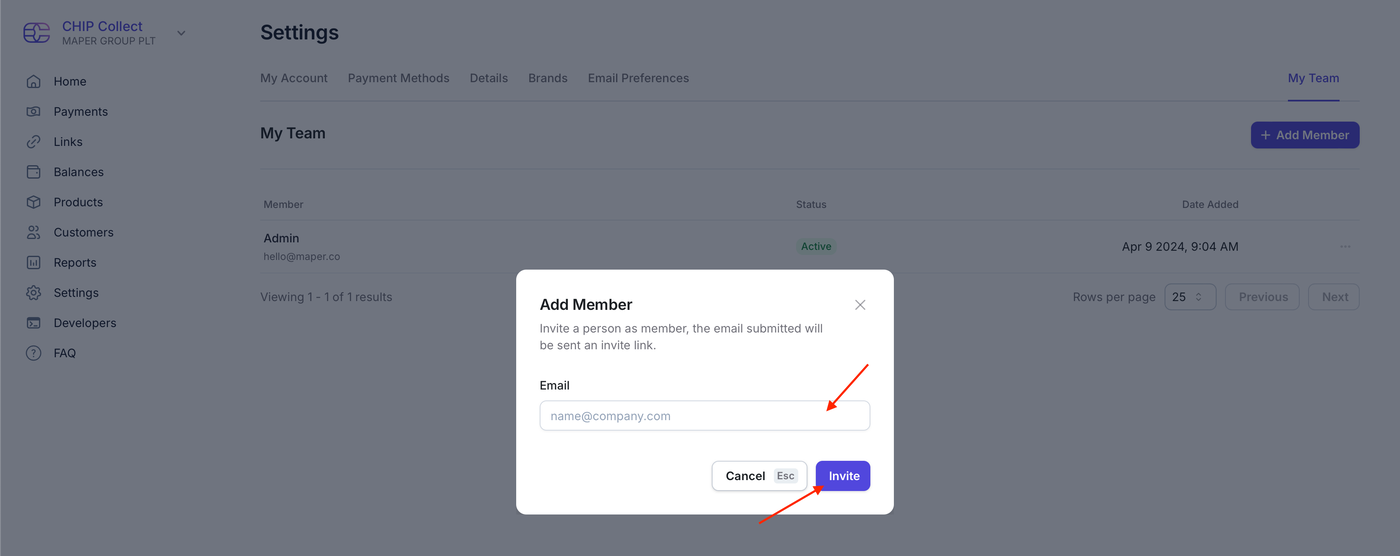
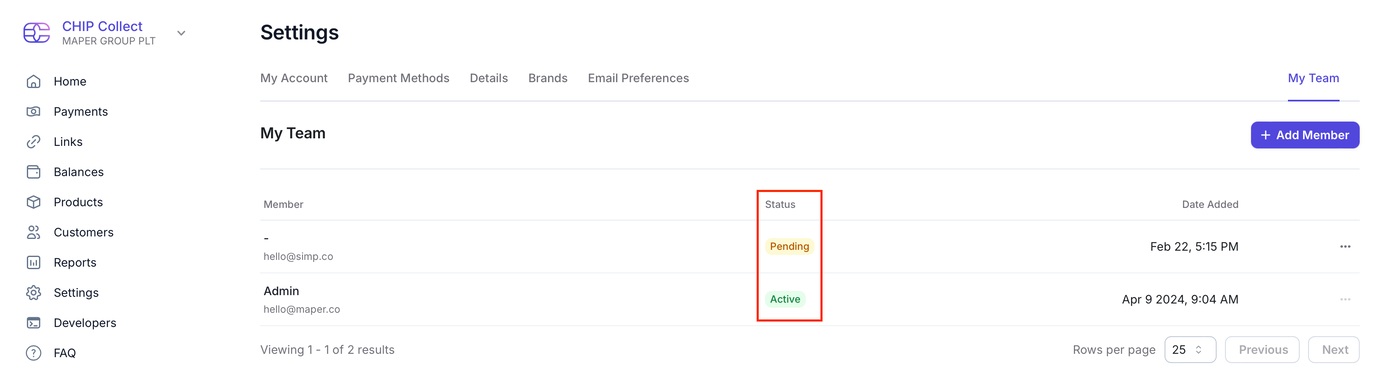
6. An invitation email will be sent to the team member. Once the invitation is accepted, the member will be added to your team with an Active status.