

Affiliate Program - Adding Referrals Manually
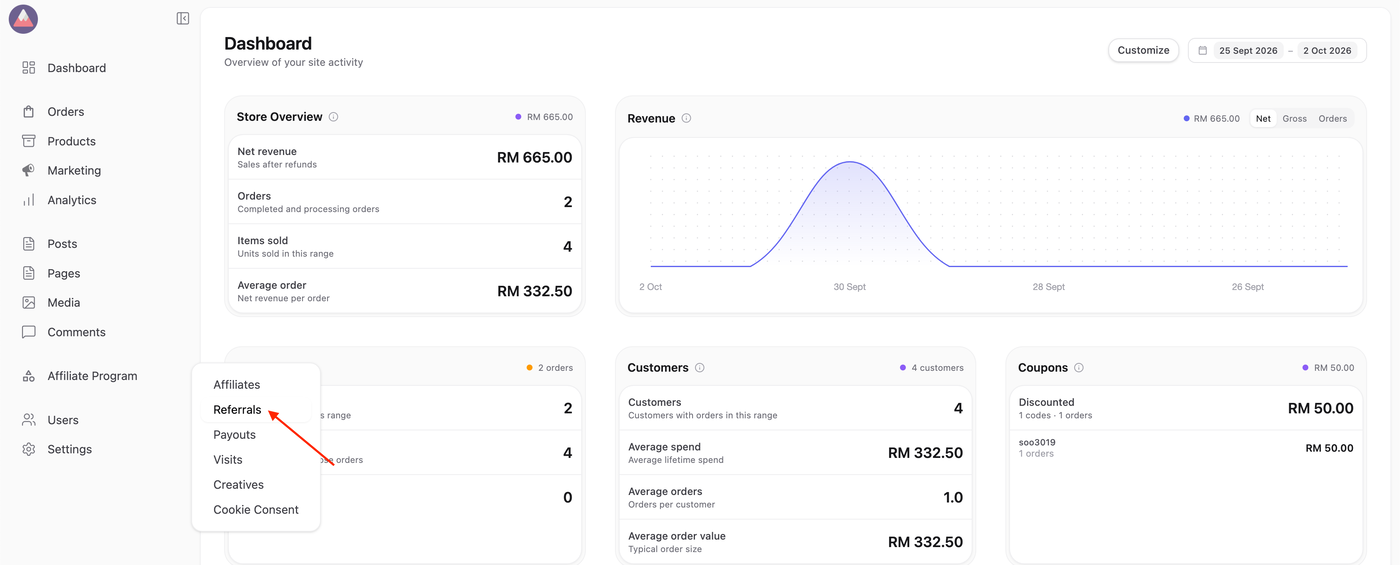
1. To begin managing referrals, navigate to Affiliate Program > Referrals.
2. Click the Add New button.
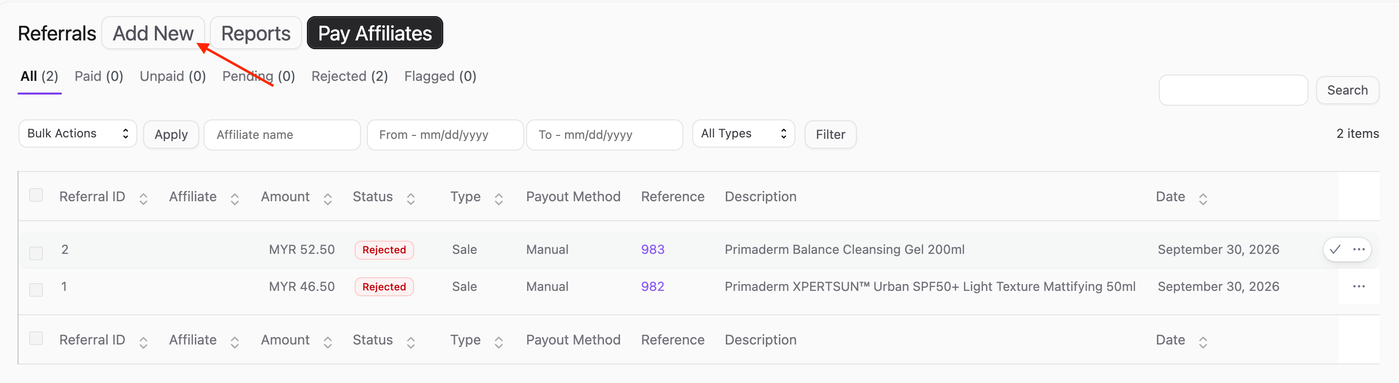
3. Start by entering the affiliate’s name or email in the Affiliate field. As you type, a list of matching affiliates will appear. Select the correct affiliate from the list to credit this referral.

4. Complete the remaining fields in the form:
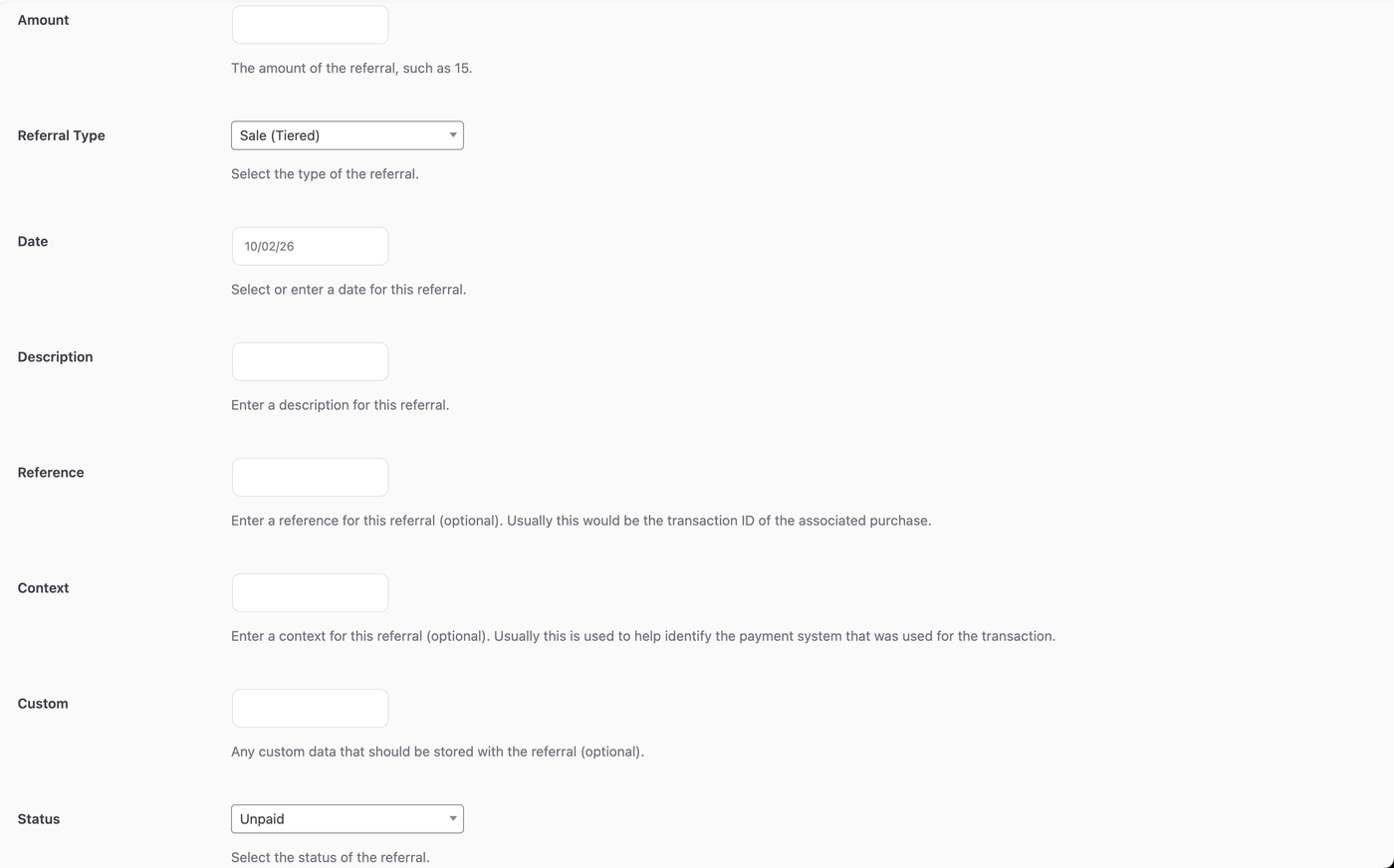
Amount: Specify the referral amount based on your program’s settings (percentage-based or flat rate).
Referral Type: Choose the type of referral, such as Sale (Tiered), Sales, Opt-In, Lead or Donation.
Description: Add a brief note describing the referral.
Reference: Entering an Order Number to associate this referral to an order.
Context: Insert store as context.
Status: Define the referral’s status as Pending, Paid, or Rejected.
Note:
The Sale (Tiered) Referral option is available as a paid add-on for MLM.
5. Click the Add Referral button.